

Build a Compliant Call Recording Transcript Workflow in 5–15 Minutes
Set up a compliant workflow for call recording transcripts: file formats, dual channel exports, live vs batch processing, and U.S./EU rules.


The fastest way to get a transcript from a phone call is to either upload the recorded audio file to an automated speech recognition service or a human transcription vendor, or enable live streaming transcription during the call itself. Either route produces searchable text with speaker labels and timestamps within minutes. Start by locating the audio (phone, voicemail, or VoIP export), then decide if you need a one-time batch job or an always-on live feed.
TL;DR:
- Automated transcription achieves high accuracy with wideband audio recorded at 16 kHz or higher, especially when dual-channel recordings are used.
- Human or hybrid review is recommended for calls with heavy accents, background noise, or high stakes, to ensure critical details are correct.
- Real-time streaming transcription is more costly and less accurate but necessary for live captions or agent assistance during calls.
- Legal compliance requires clear disclosure and consent, with stricter rules in all-party consent states and under GDPR for EU customers.
- Integrating transcripts into existing systems with proper metadata improves searchability and utility, especially when storing transcripts for compliance and quality assurance.
Table of Contents
- What Call Recording Transcripts Actually Are
- How Call Transcription Works: Automated ASR, Human, and Hybrid Options
- File Types, Channels, and Speaker Labeling: What to Record or Export
- Step-by-Step: Get a Transcript From an Existing Call Recording
- Setting Up Live Transcription for Real-Time Use Cases
- What Affects Transcript Accuracy and How to Improve It
- Privacy and Legal Compliance for Recording and Transcribing Calls
- Exports, Integrations, and Making Transcripts Useful
- A Production Example: AI Voice Agents Generating Transcripts Automatically
- Comparing Call Recording Transcription Tools and Services
- Common Challenges When Transcribing Call Recordings
- Regulations Beyond U.S. Law: GDPR and International Considerations
- Organizing, Storing, and Searching Your Transcript Archive
- When Transcripts Are Infrastructure vs a Convenience
- How Orphora AI Fits Into Your Call Recording and Transcript Workflow
- Primary Sources and References
- Sources
- FAQ
What Call Recording Transcripts Actually Are
A call recording transcript is a text version of a phone conversation, broken down by who said what and when. It typically includes speaker labels (“Agent,” “Customer”), timestamps marking when each phrase occurred, and often a confidence score showing how certain the transcription engine is about each word. That last piece matters more than most people realize: a transcript that reads perfectly smooth can still contain silent errors in names, account numbers, or dollar amounts, which is why confidence scores exist in the first place.
The standard industry term for the technology behind this is automatic speech recognition, or ASR. “Call recording transcripts” describes the output; ASR describes the engine that makes it. You’ll see both terms throughout this guide, and understanding the distinction helps when you’re comparing phone transcription software or evaluating a vendor’s technical documentation.
How Call Transcription Works: Automated ASR, Human, and Hybrid Options
Automated transcription runs audio through an ASR model, which converts sound waves into text using acoustic and language models trained on millions of hours of speech. Most modern services then run a post-processing pass to add punctuation, capitalize proper nouns, and apply speaker diarization, the process of figuring out who spoke each segment. The whole pipeline can turn a 10-minute call into a finished transcript in well under a minute.
Human transcription still beats machines on messy audio: heavy accents, crosstalk, industry jargon, or recordings with background noise. The tradeoff is turnaround time and cost. A human transcriptionist might take hours to a day per file and charges considerably more per minute than automated processing.
Hybrid models split the difference. The ASR engine does the first pass, then a human reviewer corrects errors, especially in the exchanges where accuracy carries legal or financial weight (payment confirmations, cancellation requests, verbal contracts).
Choosing between these options comes down to volume and stakes:
- High volume, low individual risk (routine support calls): automated batch processing.
- Low volume, high risk (dispute resolution, compliance audits): human or hybrid review.
- Live monitoring needs (agent assist, real-time compliance flags): streaming transcription, not batch.
- Mixed call quality (call centers with variable connections): hybrid, with human review triggered by low confidence scores.
Streaming works best when someone or something needs the text during the call. Batch processing is cheaper and more accurate for after-the-fact review, since the engine can analyze the full audio context rather than guessing at words in real time.
File Types, Channels, and Speaker Labeling: What to Record or Export
Most transcription services accept MP3, WAV, M4A, and FLAC files, though WAV and FLAC preserve more audio detail since they’re uncompressed or losslessly compressed. MP3 and M4A are smaller and easier to upload but can strip out subtle acoustic information that helps distinguish similar-sounding words. Most platforms cap file size somewhere between 1 and 2 GB and duration at a few hours per file, so a marathon conference call may need to be split before upload.
Dual-channel recording, where the agent’s voice and the customer’s voice are captured on separate audio tracks, dramatically improves diarization accuracy. When both speakers share a single channel, the software has to guess where one voice stops and another starts based on pitch and pause patterns, and it gets this wrong more often on calls with similar-sounding voices or frequent interruptions. Dual-channel audio drastically reduces diarization errors and should be the default setup for any contact center that has the option.
Here’s how to get the best raw material before you even touch a transcription tool:
- Export at 16 kHz or higher. Standard telephone audio runs at 8 kHz (narrowband), which strips out frequency information that helps distinguish consonants like “f” and “s.”
- Request dual-channel exports from your VoIP provider if your platform supports it. Most modern PBX and contact center systems do.
- Avoid re-compressing already-compressed audio. Converting an MP3 to another MP3 format compounds quality loss.
- Label files with call metadata (date, agent ID, call ID) before upload so exports map cleanly back to your CRM.
Pro Tip: If your VoIP provider offers a choice between “mixed” and “split” channel recording, always choose split. It costs nothing extra in most platforms and it’s the single biggest lever you have over transcript accuracy for multi-speaker calls.
Step-by-Step: Get a Transcript From an Existing Call Recording
If you already have an audio file sitting in a voicemail inbox, a call recording platform, or a VoIP system’s storage, converting it to a transcript follows a predictable sequence.
- Locate and export the audio. Pull the file from your phone’s voicemail app, your VoIP provider’s call log, or your call recording platform’s storage. Confirm the file format and channel layout before moving on.
- Pick a transcription method based on stakes and volume. Automated ASR for routine calls, human or hybrid review for anything tied to compliance, refunds, or disputes.
- Upload the file and configure speaker separation. If your audio is dual-channel, most platforms auto-detect the split. Single-channel audio may require you to manually flag where speaker changes are likely, or accept the engine’s best guess.
- Review the draft transcript. Scan flagged low-confidence words first, since these clusters usually indicate where the engine struggled with background noise, overlapping speech, or unfamiliar terminology.
- Correct speaker labels and timestamps. Diarization errors tend to cluster around interruptions and short one-word responses (“Yeah,” “No,” “Okay”), so check those spots specifically.
- Export to your needed format. TXT for simple archiving, SRT for caption syncing, DOCX for readable reports, or JSON for feeding into another system.
The entire cycle for a 10 minute call, using an automated service with a quick manual review, usually takes 5 to 15 minutes from upload to a corrected export.
Setting Up Live Transcription for Real-Time Use Cases
Batch processing works after the fact. Streaming transcription generates text while the call is still happening, which opens up use cases batch processing can’t touch: live captions for accessibility, real-time agent-assist prompts, and compliance monitoring that flags a risky phrase the moment it’s spoken.
The tradeoff is accuracy and cost. Real-time transcription costs more and delivers lower accuracy than best-effort batch models, because the engine has to commit to words as they arrive instead of using the full sentence or call context to disambiguate.
A typical streaming setup has four moving parts:
- A telephony provider that can tap the live audio stream from an active call.
- A media streaming layer, often built on WebSocket connections, that pipes raw audio to the transcription engine as it’s captured.
- A speech-to-text engine that returns interim results (best guess, updated continuously) and final results (locked in once a phrase is complete).
- A webhook or callback system that delivers the transcript text to wherever it needs to go, a dashboard, a CRM, or an alerting system.
A documented example of this architecture pairs Twilio Media Streams with Google’s Speech-to-Text API over a WebSocket connection, which is a widely referenced production pattern for building live call transcription.
Live transcription makes sense when the value of immediate text outweighs the accuracy and cost premium: think emergency compliance monitoring or agent coaching prompts. For post-call quality review or archival records, batch processing remains the more economical, more accurate choice.
What Affects Transcript Accuracy and How to Improve It
Audio quality is the single biggest lever on transcription accuracy, and the biggest hidden culprit is bandwidth. Standard telephone lines transmit narrowband audio at 8 kHz, cutting off frequency ranges the human ear (and ASR models) rely on to distinguish similar sounds. Narrowband audio is a documented limiting factor for ASR accuracy compared with wideband audio, which is why VoIP calls, that typically run at 16 kHz or higher, transcribe more cleanly than traditional landline calls.
Beyond raw audio quality, three practical levers move the needle:
- Use enhanced or telephony-specific speech models. Google Cloud Speech-to-Text’s enhanced “phone_call” model is specifically tuned for telephony audio, and comparable telephony-optimized models exist across other ASR platforms.
- Build a custom vocabulary. Feed the engine your product names, industry jargon, and common acronyms so it stops guessing at terms it’s never seen.
- Run head-to-head tests on your own audio. Collecting 200 to 500 representative calls across your actual accents, noise conditions, and use cases and benchmarking word error rate (WER) on that sample tells you far more than any published vendor benchmark, since vendor numbers rarely reflect your specific call environment.
Statistic Callout: Word error rate, or WER, is the standard metric for transcription accuracy: it measures the percentage of words that are substituted, deleted, or inserted incorrectly compared to a human-verified reference transcript. A lower WER means a cleaner transcript, and testing WER on your own call samples, not a vendor’s demo reel, is the only way to know what accuracy you’ll actually get.
Accuracy also compounds over time. Teams that correct transcript errors and feed those corrections back into custom vocabularies or retraining data see measurable accuracy gains compared to teams that treat every transcript as a one-off.
Privacy and Legal Compliance for Recording and Transcribing Calls
Federal law sets the baseline: 18 U.S.C. § 2511 permits recording a phone call if at least one party to the conversation consents. That means, under federal law alone, you could record a call you’re personally part of without telling the other side. But federal law is only the floor, not the ceiling.
State laws vary significantly, and several states require all-party consent, meaning every person on the call has to agree before recording starts. If your business takes calls from customers across multiple states, the safest operational rule is simple:
Treat every call as if it requires all-party consent. If any participant on the line is physically located in an all-party state, the stricter rule applies regardless of where your business is headquartered, and getting this wrong exposes you to civil and criminal liability.
A practical compliance checklist for any team recording customer calls:
- Announce before recording starts. A short disclosure at the top of the call (“This call may be recorded for quality and training purposes”) satisfies most state requirements.
- Log the disclosure event, not just the recording itself, so you have an auditable record that consent was communicated.
- Document consent in your CRM with a timestamp, tying it to the specific call ID.
- Pause or redact recording during payment card or health information exchanges to avoid PCI-DSS or HIPAA complications, since recorded card numbers or medical details create additional data-handling obligations.
AI tools that join a call to generate a live transcript introduce a separate wrinkle. Legal analyses note that AI meeting or transcription tools that join calls can be treated as interception devices in their own right, which means in all-party consent states, every participant needs to agree not just to the call being recorded, but specifically to the AI tool’s presence on the line. This has already generated litigation, so disclosure scripts should name the AI tool explicitly rather than using generic recording language.
Exports, Integrations, and Making Transcripts Useful
A transcript sitting in a folder is dead weight. The value comes from getting it into the systems your team already uses.
Export format depends on the downstream job:
- TXT for simple archiving and full-text search.
- SRT for syncing captions to video or call playback.
- DOCX for readable reports someone will actually print or annotate.
- JSON for structured data that feeds analytics dashboards or keyword-spotting tools.
Metadata is what turns a transcript into an analyzable asset rather than a wall of text. Timestamps let you jump straight to the moment a customer mentioned canceling. Speaker labels separate agent talk time from customer talk time, a common QA metric. Confidence scores flag exactly which words need a second look before the transcript gets used in a dispute. If a transcript might end up in a compliance or legal review, keep confidence scores and timestamps in the export and retain the original audio for as long as your regulations require.
Common automation patterns include auto-attaching the transcript to the relevant support ticket the moment a call ends, running keyword spotting to flag mentions of “cancel” or “refund” for manager review, and feeding transcript text into sentiment analysis tools that track customer satisfaction trends over time. Teams building this kind of pipeline for internal knowledge work often lean on tools that convert conversation transcripts into structured meeting notes, a pattern that maps directly onto customer support call archives.
A Production Example: AI Voice Agents Generating Transcripts Automatically
The cleanest version of this workflow skips manual upload entirely. An AI voice agent answers the call, resolves the customer’s question, and the platform logs the audio and generates the transcript in the same motion, with no separate transcription step required.
A typical flow looks like this:
- Customer calls, an AI voice agent handles the conversation and pulls live order or account data as needed.
- The call audio is logged automatically as it happens.
- A transcript with speaker labels and timestamps generates immediately after the call ends.
- The transcript attaches directly to the relevant support ticket or CRM record, no manual export required.
Orphora AI states that this kind of automated handling delivers an 85% faster response time and a 95% satisfaction rate for the e-commerce stores using it, figures the company reports from its own deployments rather than independent third-party audits.
Pro Tip: Before adopting any integrated voice-and-transcript system, map your actual call volume, your CRM’s import requirements, and any compliance obligations (PCI, HIPAA) against what the platform supports. A tool that works beautifully for 50 calls a day may need different configuration at 5,000.
Comparing Call Recording Transcription Tools and Services
The market splits into three practical categories, and the right one depends on your call volume and how much manual review you’re willing to do.
Entry-level automated services handle straightforward upload-and-transcribe jobs. These typically charge per minute of audio, offer basic speaker diarization, and turn around a transcript in minutes. They’re a fit for small support teams or anyone transcribing occasional calls rather than running a full contact center.
Enterprise transcription platforms add custom vocabulary training, dedicated accuracy tuning for specific industries (healthcare, legal, financial services), and service-level guarantees around turnaround time. Pricing usually scales with monthly volume and often includes onboarding support to tune the model to your call types.
Integrated voice-and-transcription platforms fold transcription into a broader customer support or voice agent system, so the transcript is a byproduct of an AI agent handling the call rather than a separate step you have to trigger. Orphora AI falls into this category for e-commerce businesses: its AI Voice Agent plan runs $9.99 USD per month per agent, plus $0.10 USD per conversation minute, with an Enterprise tier available for higher-volume stores at custom pricing.
When comparing options, weigh four things side by side: per-minute or per-agent pricing, whether diarization and confidence scores come standard or cost extra, turnaround time for batch jobs, and whether the platform integrates directly with your CRM or e-commerce backend instead of requiring manual file transfers.
Common Challenges When Transcribing Call Recordings
Overlapping speech is the most persistent problem in call transcription. When two people talk simultaneously, even a well-tuned engine has to guess which words belong to which speaker, and diarization errors cluster heavily around these moments. The fix is procedural more than technical: coach agents to avoid interrupting, and prioritize dual-channel recording wherever your phone system supports it.
Background noise, especially from call centers with multiple agents in one room, degrades accuracy in ways that are hard to fix after the fact. Noise-canceling headsets and quieter physical setups solve more of this problem than any post-processing algorithm.
Industry jargon and product names trip up general-purpose ASR models constantly. A customer saying a specific SKU number or a niece product name will often come back garbled unless you’ve built a custom vocabulary list feeding those terms to the engine ahead of time.
Numbers and proper nouns remain the weakest spot for automated transcription generally, phone numbers, dollar amounts, and spelled-out names get misheard at a noticeably higher rate than conversational speech. This is exactly why confidence scores matter: they flag these risky segments so a human reviewer can double check them rather than trusting the transcript blindly.
Finally, long calls create a practical file-size problem. Marathon support calls or multi-hour conference sessions may exceed a platform’s upload limits, requiring the audio to be split into segments before transcription, which then requires stitching the resulting transcript segments back together in the right order.
Regulations Beyond U.S. Law: GDPR and International Considerations
If your customer base extends beyond the United States, particularly into the European Union, call recording and transcription trigger a different regulatory framework entirely. The General Data Protection Regulation, or GDPR, treats a voice recording and its transcript as personal data the moment they can be linked to an identifiable person, which is nearly always the case with customer support calls.
Under GDPR, businesses need a documented legal basis for recording and transcribing calls, commonly either explicit consent or a legitimate business interest that’s been weighed against the customer’s privacy rights. This is stricter than the US one-party consent baseline: GDPR generally expects clear disclosure and, in many cases, an opt-out mechanism, not just a passive announcement.
Data retention rules under GDPR are also more prescriptive. Businesses must define and justify how long they keep call recordings and transcripts, and customers have a right to request deletion of their data, sometimes called the “right to be forgotten.” A transcript archive that has no retention policy or deletion process creates real exposure for any business handling EU customer calls.
Other jurisdictions layer on their own requirements. Canada’s PIPEDA, the UK’s own post-Brexit data protection framework, and various Asia-Pacific privacy laws each set their own consent and retention expectations. The practical takeaway for any business operating across borders: build your compliance checklist around the strictest applicable regime rather than assuming US rules travel everywhere your customers do.
Organizing, Storing, and Searching Your Transcript Archive
Transcripts and audio deserve different retention strategies. Best practice is to retain audio recordings only as long as necessary for compliance or dispute resolution, commonly somewhere in the 30 to 90 day range, while keeping transcripts themselves for much longer, since text files are small, cheap to store, and far easier to search than raw audio.
A searchable archive needs consistent tagging from day one. Attach call ID, date, agent name, and customer account number to every transcript file at the point of creation, not months later when someone’s trying to reconstruct a dispute timeline. Full-text search across a transcript archive turns “find every call where a customer mentioned a specific defect” from a multi-day manual review into a query that returns results in seconds.
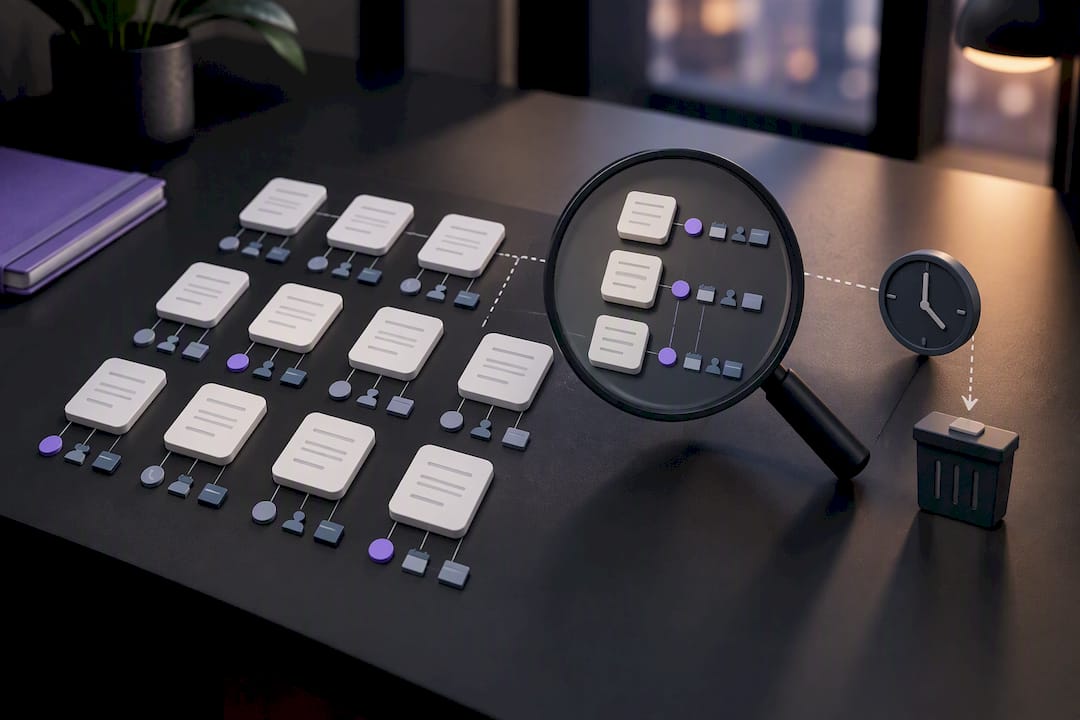
Segment your archive by purpose. Quality assurance reviewers need different fields surfaced (talk-time ratios, sentiment flags) than a compliance team pulling records for a regulatory audit (consent timestamps, disclosure language). Building separate views or tags for each use case beats maintaining one undifferentiated pile of text files.
Finally, revisit retention policy at least annually. Regulatory requirements shift, your call volume grows, and what counted as “as long as necessary” for a 500-call-a-month operation looks very different at 50,000 calls a month.
When Transcripts Are Infrastructure vs a Convenience
Not every business needs the same level of investment in transcription. If your call volume is low, your industry carries light compliance exposure, and nobody’s running analytics on customer sentiment, a basic automated transcription tool is genuinely enough. Don’t overbuild for a problem you don’t have.
But once volume climbs into the thousands of calls per month, or you’re in a regulated space like healthcare or financial services, or you want transcript data feeding real analytics rather than sitting in a folder, transcription stops being a nice-to-have utility. At that point it’s infrastructure, and it deserves the same scrutiny you’d apply to your CRM or payment processor: accuracy benchmarks, retention policy, and a real integration plan, not just a subscription you signed up for once and forgot.
— Orphora AI
How Orphora AI Fits Into Your Call Recording and Transcript Workflow
For WooCommerce store owners, the cleanest path skips a separate transcription tool entirely. Orphora AI runs 24/7 AI voice agents that answer customer calls, pull live order and account data to resolve status and return questions on the spot, and log the audio and transcript automatically, no manual upload, no separate ASR subscription to manage.

Every call comes with speaker labels, timestamps, and a transcript that attaches straight to the customer record, so your team gets the searchable text without building the pipeline described earlier in this guide. Orphora AI reports significantly faster response times and high customer satisfaction rates across the e-commerce stores using its agents, based on its own deployment observations. Pricing details for plans and enterprise tiers are available on the provider’s website.
If you’re running a WooCommerce store and evaluating whether integrated voice and transcription makes sense for your support volume, visit the Orphora AI product page to see current plans, or check the feature breakdown to compare technical capabilities against what you’re using today.
Primary Sources and References
The legal and technical claims in this guide draw on the following references:
- United States recording laws — RecordingLaw, a state-by-state consent survey.
- Enhanced models — Google Cloud Speech-to-Text documentation, technical detail on telephony-optimized ASR.
- Live transcribing phone calls — Twilio blog, a streaming integration example.
This article is general information, not a substitute for advice from a qualified lawyer. Consult a qualified legal professional about your own circumstances before acting on anything here.
FAQ
How Do I Get a Transcript From a Call Recording?
Upload the audio file (MP3, WAV, or M4A) to an automated transcription service or a human transcription vendor, and you’ll typically get a text file with speaker labels and timestamps back within minutes for automated processing. For calls you can’t record after the fact, enabling live streaming transcription during the call is the alternative route.
Can I Record a Call on My iPhone and Get a Transcript?
Yes, though iPhone call recording requires a third-party app since native iOS doesn’t include built-in call recording. Once you have the audio file exported, you can run it through any transcription service, and you must still follow the one-party or all-party consent rules for the state either party is in.
Can I Get Transcripts From a Regular Phone Call?
Yes. Any recorded phone call, whether from a landline, mobile carrier, or VoIP system, can be transcribed as long as you can export the audio as a standard file like WAV or MP3. Quality depends heavily on whether the call was narrowband (standard telephone) or wideband (VoIP), since wideband audio produces noticeably better transcription results.
Why Is My Phone Transcribing My Calls Automatically?
Some smartphones and carrier apps include built-in live call transcription as an accessibility or convenience feature, converting speech to text in real time on the device. This is separate from call recording. It typically only displays text during the call rather than saving a permanent recording, though some apps do allow you to save the transcript afterward.
What Does Orphora AI Charge for Call Recording and Transcription?
Orphora AI’s AI Voice Agent plan costs $9.99 USD per month per agent, plus $0.10 USD per conversation minute, with call recording and transcripts included as part of the service. An Enterprise plan is also available for higher-volume stores, with pricing available on request.