

Address Change by Phone: FTC-Compliant WooCommerce API Steps
Let AI handle address changes by phone safely. Developer steps for WooCommerce API updates, FTC-compliant verification, and audit logging.


Yes. An AI voice agent connected to WooCommerce can verify a caller, pull the live order, and update the shipping address before the package ships, provided you build in caller verification, an audit trail, and basic FTC compliance. The update itself is a standard PUT or PATCH call to the WooCommerce orders endpoint. The risk lives in what happens before that call fires.
TL;DR:
- Address changes via AI voice agents are limited by order status, with manual review required for high-value or suspicious requests.
- Verification must include order ID plus an out-of-band factor like email or last four digits of the card, not just name and address.
- API updates require a secure, scoped PUT or PATCH request to WooCommerce, with idempotency keys to prevent duplicate changes.
- Compliance with FTC rules necessitates disclosures, recording prompts, and restricting data retention to operational needs.
- Automation benefits stores with consistent call volume, but guardrails—such as flagged countries and manual review—are essential to prevent fraud.
Table of Contents
- How Does Address Change by Phone Actually Work?
- How Do You Update an Order Address Through the API?
- What Should You Verify Before Changing an Address?
- What Compliance Rules Apply to AI Phone Support?
- What Should Be on Your Launch Checklist?
- What Goes Wrong and How Do You Fix It
- Where This Actually Pays Off
- Handling This Without Building It From Scratch
- Sources
- FAQ
How Does Address Change by Phone Actually Work?
The flow looks simple from the customer’s side and does most of its work behind the scenes. A caller reaches your line, states an order number or phone number on file, and the voice agent asks a verification question or sends a one-time code. Once verified, the system checks order status in real time: has it shipped, is it flagged, does the billing name match what the caller is telling you? Only then does the agent read back the current address, confirm the new one, and write the change. A confirmation email or text follows immediately, so the account holder has a paper trail even if the call itself was fraudulent.
Not every request should go through automatically. Build in limits:
- No edits after an order has shipped or moved into a fulfillment status your warehouse can’t intercept.
- Automatic flags on orders where the new shipping address lands in a different country or region than billing.
- Manual review for high-value orders, repeat requests from the same caller, or any mismatch between the name on the account and the name giving instructions over the phone.
Anything outside those guardrails should route to a human, not get pushed through by a script trying to close the ticket fast.
How Do You Update an Order Address Through the API?
Verify first, then act. That order matters more than it sounds. Here’s the sequence a developer needs to wire up:
- Authenticate the caller using order ID plus email, or a one-time passcode sent to the contact on file. Do not accept name and address alone as proof of identity.
- Pull the order with a GET request to
/wc/v3/orders/<order_id>and check its status, fulfillment flags, and existing billing and shipping data before touching anything. - Send the update as a PUT or PATCH to the same endpoint, per the WooCommerce REST API documentation, modifying only the
shippingorbillingaddress objects. Partial updates work here. You don’t need to resend the entire order payload, just the fields that changed. - Secure the call with OAuth or API keys over TLS, and scope the voice agent’s credentials so it can touch address fields and nothing else. It should have zero ability to alter payment methods, issue refunds, or cancel orders. WooCommerce’s v3 API supports this kind of narrow, permissioned access.
- Confirm and log. Read the new address back to the caller before hanging up, then write an audit entry: who called, what changed, the timestamp, and a reference to the call recording if you keep one.
Store owners doing this manually inside the WooCommerce order editor will recognize the same fields. The API just lets a voice agent do it without a human opening the admin panel.
Pro Tip: Build idempotency keys into every update call. Phone connections drop, agents retry, and without a duplicate check you risk writing the same address twice or, worse, applying a stale change over a newer one.
What Should You Verify Before Changing an Address?
Keep the bar high enough to stop casual fraud attempts without turning every call into an interrogation. The minimum: an order number paired with one out-of-band factor, such as the billing email, the last four digits of the card on file, or a code sent to the phone number already tied to the account.
Escalate to a human when any of these show up:
- The name giving instructions doesn’t match the billing name.
- The new shipping address is in a different country or region than billing.
- The order value sits above whatever threshold you set as high risk.
- The same phone number or IP has requested multiple address changes in a short window.
Every approved change needs a persistent, tamper-evident log entry and an immediate confirmation to the email or phone number already on the account, not the new one just requested. That second point matters more than it seems. If a fraudster changes the address and the confirmation only goes to the new contact, the real customer never finds out until the package is gone.
Pro Tip: Limit phone-based edits to orders that haven’t entered fulfillment. Anything already picked or packed should require a manager override, not a script exception.
What Compliance Rules Apply to AI Phone Support?
The FTC’s Telemarketing Sales Rule governs telemarketing and certain inbound calling practices, and it applies whether a human or a voice agent is on the line. The core obligations: avoid deceptive claims, make required disclosures, and keep the records the rule specifies. Review the FTC’s TSR guidance directly rather than relying on secondhand summaries, since recordkeeping details matter.
The agency has sharpened its focus on AI specifically. A 2024 FTC announcement reaffirmed protections against AI-enabled deceptive calls and voice cloning, and pushed for tighter recordkeeping as automated calling tools spread. Treat that as a signal, not a footnote: regulators are watching this space closely, and being unable to produce a call log or transcript on request is a real liability.
A few practical rules to build in:
- Disclose that customers are speaking with an automated system at the start of the call.
- Add a short consent prompt before recording, since state rules on call recording vary between single-party and all-party consent, and getting this wrong carries legal exposure regardless of good intentions.
- Store only what verification and auditing require. Don’t retain full card numbers, full call audio longer than necessary, or data with no operational purpose.
What Should Be on Your Launch Checklist?
Before turning this on for real customers, work through it in order:
- Define the lock window. Decide exactly when a phone edit stops being allowed, typically once an order status moves to processing or ready-to-ship.
- Scope API credentials narrowly. The voice agent’s key should reach orders endpoints only, never payment or refund routes.
- Build the verification script. Wire OTP delivery and order lookups so the agent pulls live data instead of guessing from a static script.
- Turn on logging and alerts. Every change needs a record, and every failed update needs someone notified, not silently dropped.
- Test in stages. Run sandbox API calls first, then scripted mock calls, then a full end-to-end pass with your fulfillment team watching for conflicts.
Pro Tip: Run your first two weeks live with a human reviewing every automated change before it’s final. It costs a little speed up front and saves you from finding out about an edge case the hard way.
What Goes Wrong and How Do You Fix It
API calls fail, packages ship mid-call, and customers mistype confirmation codes. None of that is unusual, but each needs a plan before it happens live.
Build retries with exponential backoff for failed API writes, and pair every retry with an idempotency key so a dropped connection doesn’t produce two conflicting address updates. If an order has already shipped by the time the agent processes the request, don’t force a WooCommerce write. Route to a canned response covering refund or reship options instead, since fulfillment and carrier workflows make late-stage address edits genuinely complicated once a label is printed.
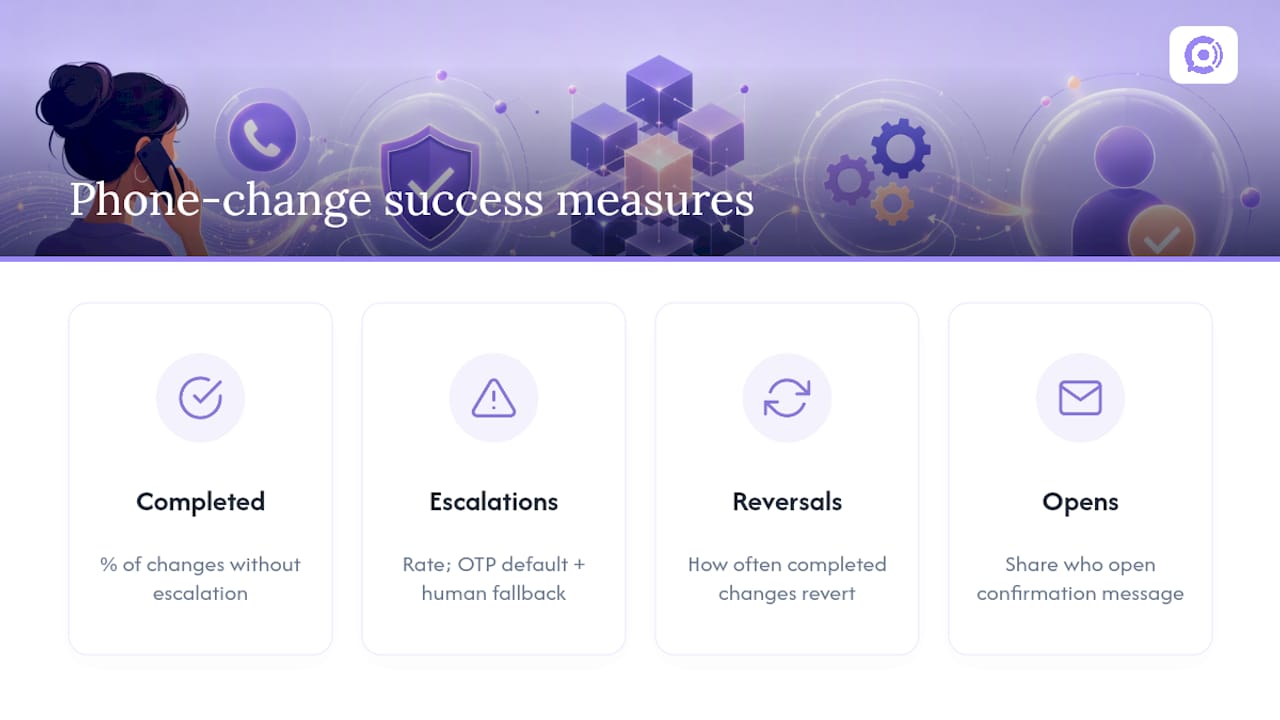
On the customer experience side, OTP is usually the right default because it’s fast and hard to fake, but have a human escalation path ready for when a text doesn’t arrive or a customer can’t access the email on file. Track four numbers over time: the percentage of phone address changes that complete without escalation, the escalation rate itself, how often a completed change gets reversed, and how many customers actually open their confirmation message. Those four tell you whether the system is working or just looking like it is.
Where This Actually Pays Off
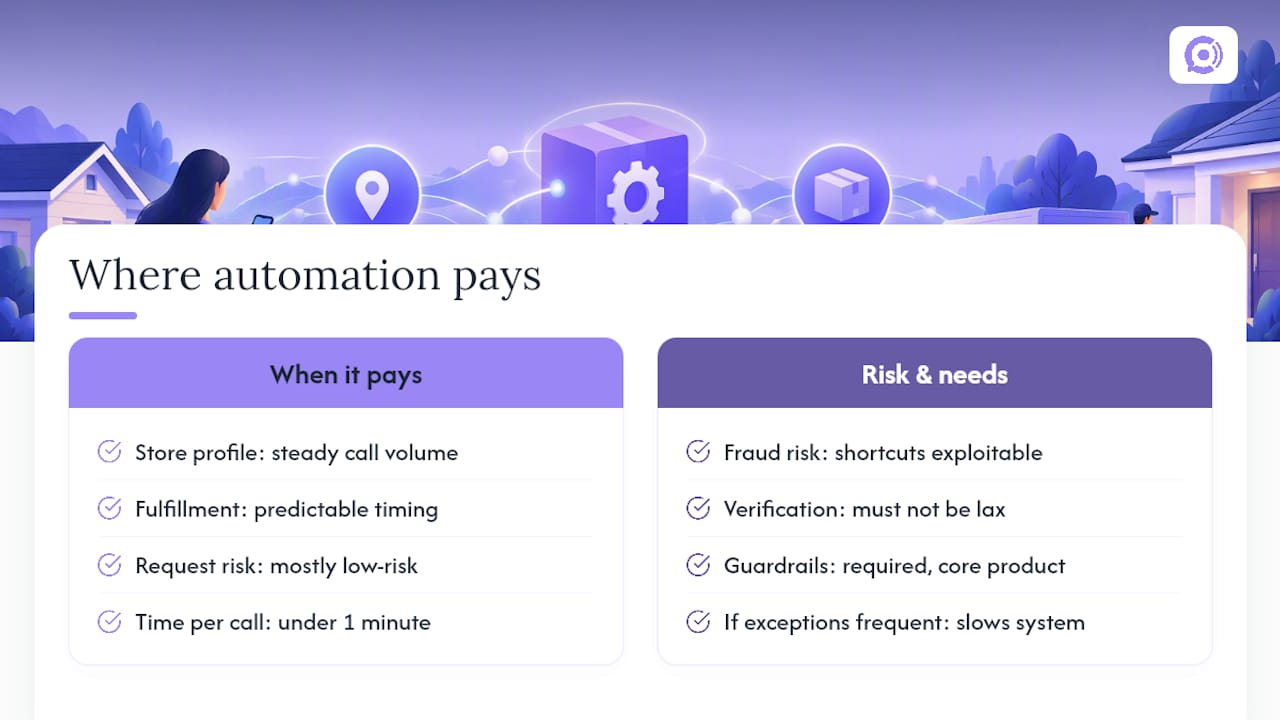
Automation cuts the manual load fast, but it doesn’t remove the need for judgment. A voice agent can verify, check order status, and write the update in under a minute, which beats a hold queue by any measure. The trade-off is that every shortcut in verification becomes a shortcut a fraudster can exploit too, so the guardrails aren’t optional overhead. They’re the actual product.
This setup earns its keep fastest at stores with steady call volume and predictable fulfillment timing, where most address-change requests are genuinely low-risk and the exceptions are rare enough to route to a person without slowing everything down.
— Orphora AI
Handling This Without Building It From Scratch
Most WooCommerce stores don’t have a developer team sitting around ready to wire up OTP flows, order-status checks, and audit logging from zero. Orphora AI is built to skip that build phase: it connects directly to your WooCommerce store, reads order data in real time, and runs verification and address updates inside guardrail workflows that keep it from touching payments or refunds.

Every change gets logged automatically, so you’re not left explaining to a customer, or a regulator, what happened on a call six weeks ago. Orphora AI reports 85% faster response times and a 95% customer satisfaction rate across the support interactions it handles. Plans start at $9.99 per month per agent, with usage billed at $0.10 per conversation minute, and an Enterprise tier for stores that need more. If you’re weighing whether to build this in house or plug it in, check the feature breakdown or the installation guide and see how quickly it connects to your store.
Sources
- Orders Documentation – WooCommerce
- Complying with the Telemarketing Sales Rule | Federal Trade Commission
FAQ
Can an AI voice agent legally change a customer’s address by phone?
Yes, provided the call follows the FTC’s Telemarketing Sales Rule, including required disclosures and recordkeeping, and complies with your state’s call-recording consent rules. Disclosing that the customer is speaking with an automated system reduces legal exposure significantly.
What’s the minimum verification needed before changing an address?
At minimum, confirm the order number plus one out-of-band factor, such as the billing email, the last four digits of the card, or a one-time code sent to the contact already on file. Skip straight to manual review if the caller’s name doesn’t match the billing name.
Which WooCommerce endpoint updates an order’s address?
A PUT or PATCH request to /wc/v3/orders/<order_id>, modifying the shipping or billing address object, as documented in the WooCommerce REST API reference. Partial updates are supported, so you only need to send the fields that changed.
Does Orphora AI handle address changes automatically?
Orphora AI connects to WooCommerce in real time to verify callers, check order status, and update shipping or billing addresses within guardrail workflows. Pricing starts at $9.99 per month per agent plus $0.10 per conversation minute, with an Enterprise plan available for larger stores.
What happens if an order has already shipped?
Once an order ships, most fulfillment systems can no longer redirect the package through an address update alone. The agent should route the caller to refund or reshipment options instead of attempting a WooCommerce address change.