

Shipping Policy Automation: 3 WooCommerce Checks Before Calls Go Live
Connect WooCommerce order and tracking APIs to phone support, verify callers before sharing details, handle returns, and log delay consent under FTC rules.


Shipping policy automation, for phone support, means an AI voice agent that reads live WooCommerce order and shipment-tracking data to answer shipping, tracking, and returns questions instead of guessing from a static policy page. Done right, it delivers instant order-status answers, documented delay consent under FTC rules, and fewer repeat calls. It needs three things to work: order and tracking data access, caller authentication, and a call log you can audit later.
TL;DR:
- Authenticate callers with an order number plus the phone number or email on file, or a one time passcode, before revealing order details.
- Connect WooCommerce order and shipment tracking data, and use webhooks for shipment and refund events to keep status, carrier, tracking link, and refund state current.
- With no promised shipping time, sellers must ship within 30 days; if late, offer delay consent or a refund and log that choice.
- Treat a return request as intake, check eligibility separately, and report a refund only after the WooCommerce refund field confirms completion.
- Escalate calls when recorded status conflicts with policy, a customer requests a discretionary exception, or authentication triggers a security flag, rather than guessing.
Table of Contents
- How a voice agent reads order and shipment data to answer calls
- Call flows: authentication, status answers, returns, and when to escalate
- Implementation checklist for connecting WooCommerce to a voice agent
- Best practices for staying accurate and compliant on every call
- What actually works in shipping-policy voice automation
- Getting started with Orphora AI for WooCommerce phone support
- FAQ
- Sources
How a voice agent reads order and shipment data to answer calls
A voice agent is only as good as the data behind it, and for WooCommerce stores that data lives in the order record, not in a scripted policy statement. The store’s order object holds status, shipped date, refund state, and line items, while the shipment-tracking extension holds the carrier, tracking number, and the customer-facing tracking link. Treating WooCommerce as the single system of record means the agent never has to estimate anything it can instead read directly.
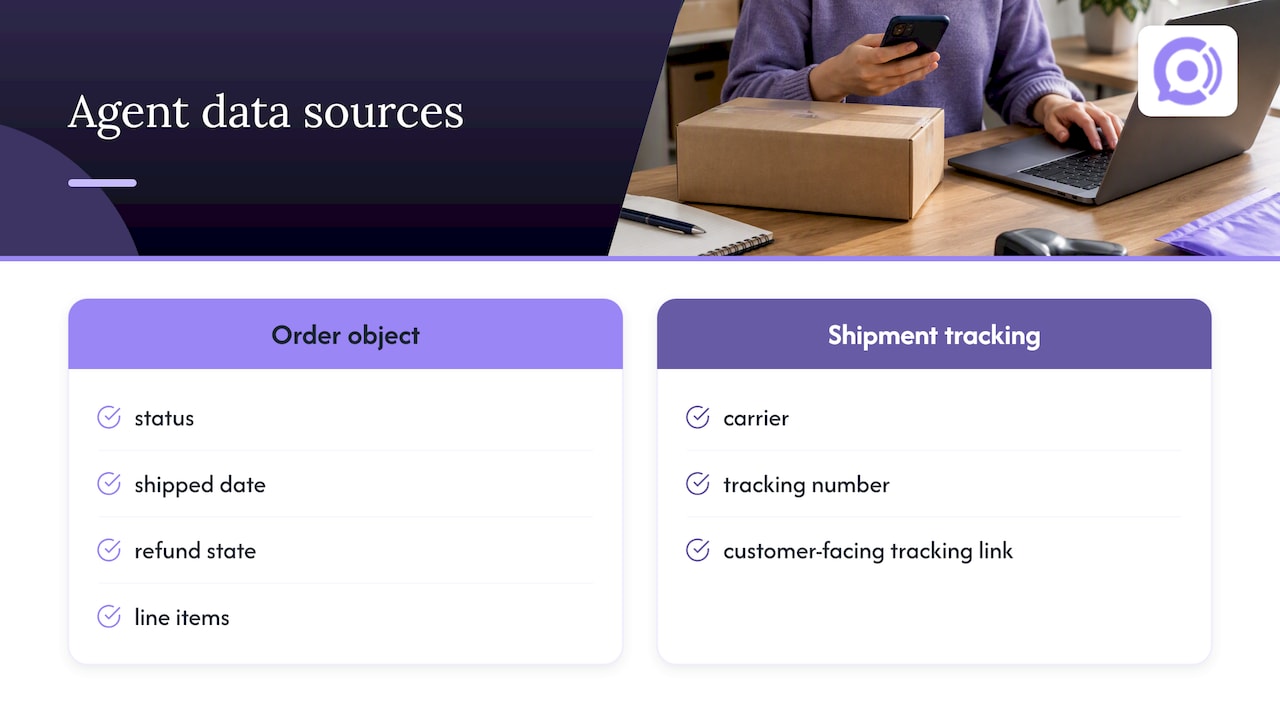
The shipment-tracking API, exposed under the wc-shipment-tracking/v3 namespace, supports provider discovery and returns a normalized tracking item for each shipment. That matters for phone support because the agent can pull the actual carrier name and tracking link rather than inferring which courier is likely handling a package. Developer documentation shows how tracking items get created through a POST request to the order’s shipment-trackings endpoint, and helper functions like wc_st_add_tracking_number() attach tracking data so it already appears in order emails and the customer’s My Account page before a call ever happens.
This is why reading a store’s own tracking link beats estimating an arrival date. WooCommerce’s own guidance points out that surfacing carrier and tracking information in customer communications reduces inbound status questions in the first place, and the same logic applies on the phone: a caller who hears “your package shipped with UPS on Tuesday, here’s your tracking link” gets a verifiable answer, while a caller who hears “it should arrive in a few days” gets a guess that can turn into a complaint. The agent’s job is retrieval, not prediction.
Call flows: authentication, status answers, returns, and when to escalate
Once the data layer is solid, the conversation design has to protect both the customer’s privacy and the store’s accuracy. A handful of distinct flows cover nearly every shipping-related call.
- Authenticate first. Verify the caller with an order number plus the phone number or email on file, or a one-time passcode, before reading any order detail aloud.
- Answer by order status. WooCommerce orders documentation treats Processing, Shipped, Delivered, On hold, and Refunded as distinct states, and the agent should match its response to the exact status rather than giving a generic “it’s on the way.”
- Read tracking details verbatim. State the carrier name and tracking link exactly as stored, never paraphrased into a delivery estimate.
- Separate return requests from completed refunds. A return request is an intake event, not a refund; Smart Refunder documents this as a distinct customer-facing flow where eligibility is checked before any refund is executed.
- Offer delay options and record consent. When a shipment is late against the advertised window, present the wait-or-refund choice required under the FTC’s Mail, Internet, or Telephone Order Merchandise Rule, and log the customer’s choice with a timestamp.
- Escalate on mismatch or judgment calls. Hand off to a human agent when the order’s recorded status contradicts what the policy promises, when a request needs discretion, or when a security flag trips during authentication. Our guidance on escalation design covers how to set those triggers without over-escalating routine calls.
Pro Tip: Script the refund-status line so the agent only says “refunded” when the order’s refund field actually reads complete, never when a return request is merely open.
Implementation checklist for connecting WooCommerce to a voice agent
Getting from policy document to working phone automation is mostly a data-access and testing exercise, enhanced by tools for Real Time Sync, Landed Cost & Settlement that ensure operational accuracy.
- Grant API and webhook access to the orders endpoint and the wc-shipment-tracking/v3 endpoints, then map the exact fields the agent needs: order status, tracking number, tracking link, carrier or provider, and refund state.
- Set up webhooks for shipment and refund events so the agent always answers from current data instead of a cached snapshot from the last sync.
- Persist consent records and transcripts. Every delay-option conversation and every return intake should be stored with a timestamp, matching the kind of documentation the FTC’s prompt delivery guidance describes as evidence of compliance.
- Run structured test calls before launch, covering:
- An authenticated happy path with a normal shipped order
- An order missing tracking fields entirely
- Multiple carriers on a single order
- A partial refund mid-process
- A delay-consent renewal on a second missed window
- A forced escalation handoff to a live agent
Testing commonly surfaces gaps: orders with no tracking fields populated, carriers using nonstandard tracking URL formats, refunds that change status asynchronously after the call ends, and callers phoning from a number that doesn’t match the order record, all flagged in WooCommerce’s own orders documentation as cases worth handling deliberately rather than by default fallback. Pair this with call recording and analytics so you can monitor voice quality and catch false positives in authentication or status matching before they become customer complaints.
Best practices for staying accurate and compliant on every call
The biggest risk in shipping policy automation isn’t a wrong carrier name, it’s an agent that makes a promise the store can’t keep. A few guardrails prevent that.
- Combine the store’s written shipping policy with the live order record on every answer; never let the agent quote policy language as if it were the current order’s status.
- Build delay-option consent as a structured, timestamped flow, and never let the agent generate a new ship date that isn’t tied to a rule-based source.
- Treat returns as three separate steps: intake, eligibility check, then refund execution only once authorized, mirroring the Smart Refunder flow rather than collapsing it into one response.
- Keep transcripts concise but complete enough to support an FTC audit or a customer dispute months later.
Pro Tip: If your knowledge base for the agent is sprawling, trim it. Keeping the FAQ set under roughly 200 entries reduces latency and keeps answers tied to real order data instead of loosely matched policy text.
What actually works in shipping-policy voice automation
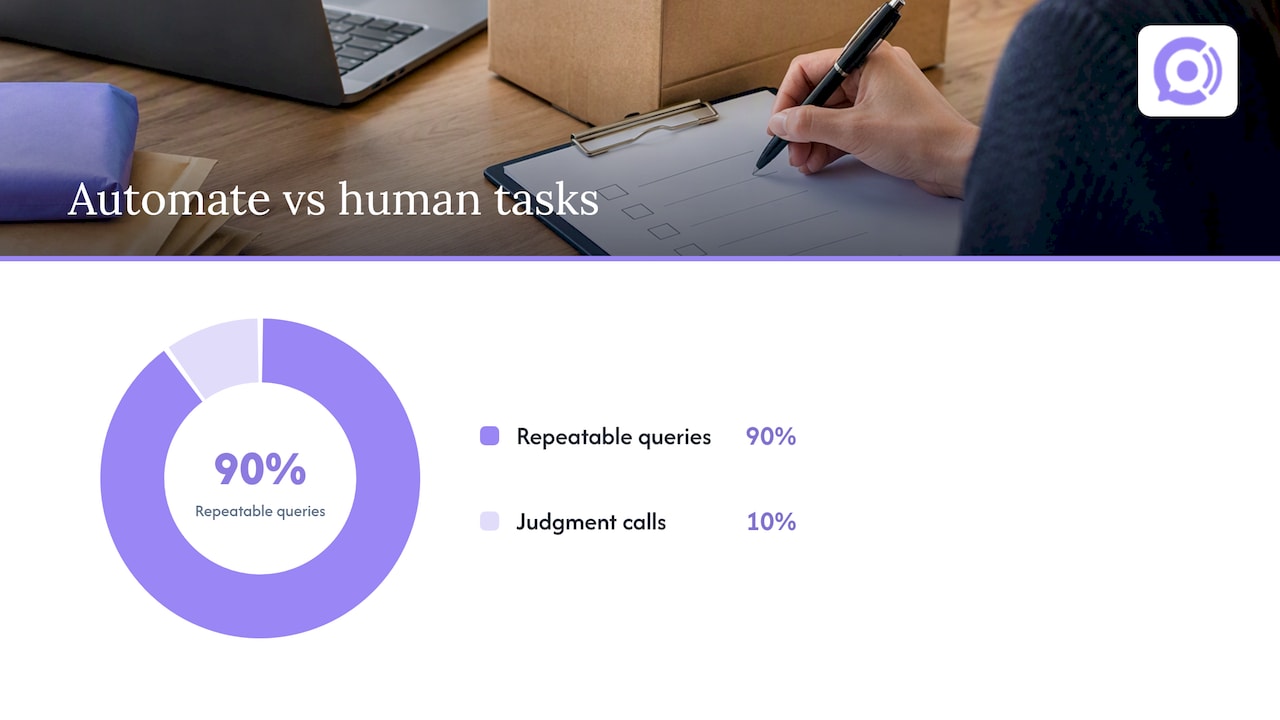
The stores that get the most out of this technology automate the repeatable ninety percent: where’s my order, has it shipped, I want to start a return. They route the judgment-call ten percent, like disputed damage claims or policy exceptions, straight to a human. Trying to automate everything is where most rollouts stumble, not because the technology fails, but because teams script the agent to sound confident about things the order record can’t confirm.
Live data access is what separates a useful voice agent from a glorified FAQ reader. An agent that can only recite policy will eventually tell a customer something false about their specific order. One that reads the actual tracking link and refund field won’t.
— Orphora AI
Getting started with Orphora AI for WooCommerce phone support
We built our voice agents specifically for WooCommerce stores that need phone-based shipping and returns support without adding headcount. Our agents connect directly to your order and shipment-tracking data, answer status and tracking questions around the clock, capture return requests, and hand off to a human the moment a call needs judgment instead of lookup.

Every call is recorded and logged, and our analytics show you where callers get stuck so you can tighten your policy or your data mapping. If you’re ready to see it against your own store, run a few test orders through your WooCommerce setup, confirm your API and webhook access, and request a walkthrough at Orphora AI. Our AI Voice Agent plan has a monthly fee per agent plus a pay-per-minute charge, and we also offer an Enterprise plan for larger catalogs and call volumes.
FAQ
What data does a voice agent need to answer shipping questions?
It needs read access to the WooCommerce order record for status and refund state, plus the shipment-tracking extension for carrier name, tracking number, and the customer-facing tracking link. Without both, the agent can only repeat generic policy language instead of answering for that specific order.
How does a return request differ from a completed refund?
A return request is an intake step where the agent captures the customer’s request and checks basic eligibility, while a completed refund only exists once the store’s refund field actually shows that status, a distinction Smart Refunder’s documented flow treats as two separate stages. A well-designed agent never tells a caller their money has been refunded until that field confirms it.
What does the FTC require when a shipment is delayed?
The Mail, Internet, or Telephone Order Merchandise Rule requires sellers to ship within the advertised time, or within 30 days if no time was promised, and to notify the buyer with the choice of consenting to a delay or receiving a refund if that window is missed. Phone-based automation should record which option the customer chose and when.
Can a voice agent read a tracking link out loud to a customer?
Yes. The shipment-tracking API returns a customer-facing tracking link tied to the order, and reading that link verbatim is more reliable than estimating a delivery date, since it points to the carrier’s own real-time status.
When should a shipping-related call escalate to a human?
Escalate when the order’s recorded status contradicts what the written policy promises, when the request involves discretion like a disputed exception, or when authentication flags a security concern. Our escalation design guidance outlines these triggers in more detail.
Sources
- Shipment Tracking – WooCommerce documentation
- Orders documentation – WooCommerce
- Mail, Internet, or Telephone Order Merchandise Rule | Federal Trade Commission
- Smart Refunder – WooCommerce documentation