
Support Managers: 6 Step Compliance Plan for Support Call Recording
A compliance-first checklist for support managers to record calls safely: consent scripting, pause and resume for payments, retention rules, secure...


Yes, support teams should record calls for quality assurance, dispute resolution, and analytics, but only with consent scripts and technical controls that keep sensitive payment data out of the recording. Recording without these safeguards creates legal exposure and security risk. The practical path is to enable recording through pause and resume, or an approved payment-handling integration, then document the policy before the first call is captured.
TL;DR:
- Call recording significantly improves dispute resolution accuracy, coaching efficiency, and operational metrics when integrated with proper consent and compliance controls.
- Automated pause-and-resume features for payment moments reduce security risks by preventing sensitive payment data from being captured or stored.
- Recording policies must include clear consent scripts, retention schedules, audit trails, and compliance with regional laws to avoid legal exposure.
- Redacting personally identifiable information from transcripts and encrypting recordings are essential to meet PCI DSS standards and safeguard customer data.
- Using searchable transcripts linked with analytics accelerates QA, coaching, and issue detection, maximizing the value of recorded calls.
Table of Contents
- Why support teams record calls in the first place
- Legal and compliance essentials: consent, PCI DSS, and regulatory guidance
- Technical approaches: capture, pause and resume, and redaction
- Step-by-step checklist to enable support call recording safely
- How recorded calls become QA and coaching data
- Retention, security, and access control
- When transparency should outweigh convenience
- How Orphora AI helps you record and use support calls safely
- FAQ
- Sources
Why support teams record calls in the first place
Call recording earns its place in a support operation because it turns conversations into evidence and training material at the same time. A manager reviewing ten calls a week catches far more coaching opportunities than one relying on agent self-reports, and disputed transactions get resolved faster when there is an actual record of what was said rather than two conflicting accounts.
The value shows up in a few concrete ways:
- Quality assurance and coaching: recordings let supervisors review real interactions instead of role-playing scenarios, speeding up onboarding and feedback cycles.
- Dispute resolution: a recorded authorization or confirmation protects both the business and the customer when a charge or cancellation is questioned.
- Trend detection: transcripts surface recurring complaints, script deviations, and product issues that a spreadsheet of call notes never would.
- Operational tracking: average handle time, first-call resolution, and customer satisfaction scores all improve when QA reviews are based on actual call content.
Support leaders who treat recording as a data source rather than a compliance afterthought tend to get the most out of it, feeding transcripts into coaching sessions and product feedback loops rather than letting recordings sit unused in storage.
Legal and compliance essentials: consent, PCI DSS, and regulatory guidance
Recording a support call is not a purely technical decision. Consent requirements differ by jurisdiction, and the Federal Trade Commission warns that recording and consent laws vary by state, recommending that businesses consult counsel before finalizing a recording policy rather than assuming a single disclosure script covers every market. The same guidance stresses that when a recording is used as proof of authorization, such as for a sale or a cancellation, it needs to capture specific pieces of information to count as valid evidence later.
PCI readiness guidance for security and compliance teams adds another layer. PCI DSS guidance available through AWS Marketplace makes clear that cardholder data should never be stored inside a call recording, and the recommended approach is automated pause-and-resume or a payment gateway integration that keeps the card number out of the audio entirely.
One enterprise case found that automated transcription and analytics increased the number of calls an auditor could review by 1,500%, according to an AWS case study on an insurance company’s AI-powered QA program, which also reported a 10% reduction in agent handling time. That kind of leverage only holds up if the underlying recordings are compliant enough to use at scale.
A short policy checklist keeps the program defensible:
- Write a consent script for your IVR or agent opening line and keep a record of when it changed.
- Set a retention schedule and a deletion process, not just a storage location.
- Document who can access recordings and build an audit trail for every access event.
- Confirm with counsel that your consent approach matches the laws in the states or countries you serve.
Technical approaches: capture, pause and resume, and redaction
The architecture behind call recording determines whether compliance is automatic or dependent on an agent remembering to do the right thing every single time. Cloud contact center platforms, SIP-based mirroring, and agent desktop hooks are the three common capture methods, each with different implications for where the raw audio actually lands.
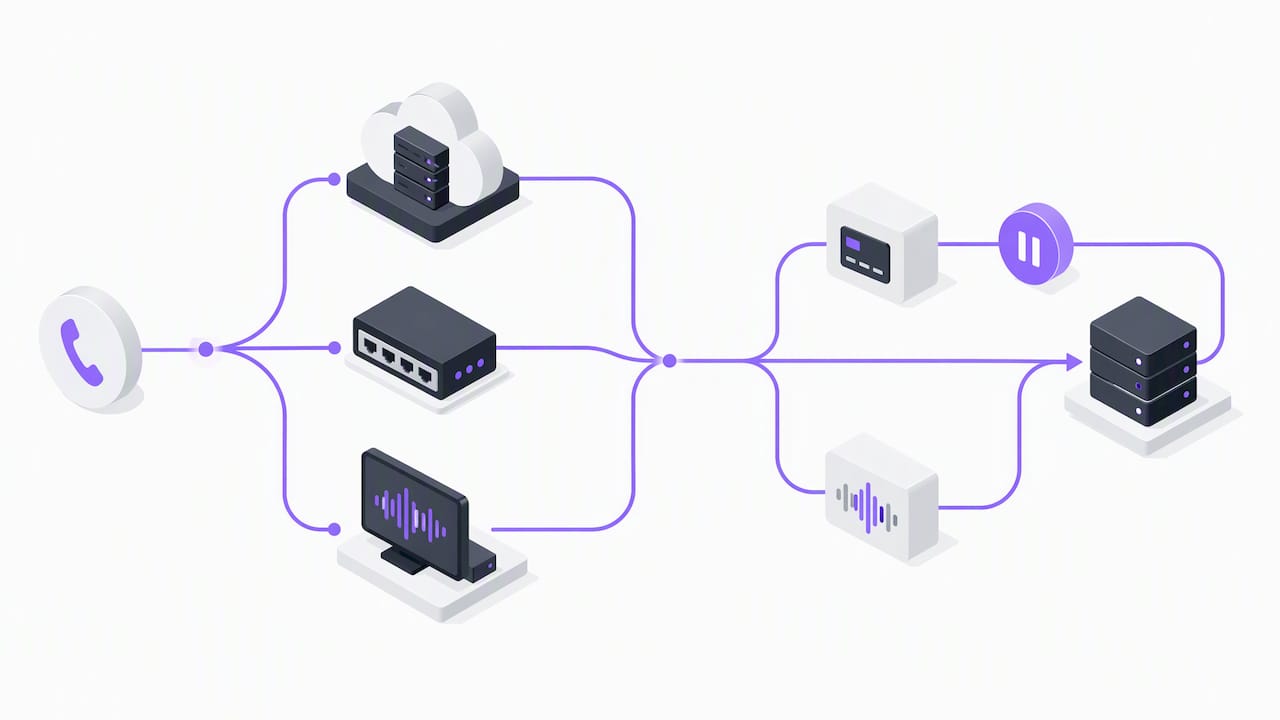
For payment moments specifically, automated pause and resume is the safer default. Listings like Pauseable’s automated pause and resume tool for Amazon Connect are built to stop recording automatically when DTMF tones or card-entry prompts appear, which removes the dependency on an agent manually hitting pause under pressure. Post-call redaction is an alternative, but it means sensitive data exists in the raw file until it is scrubbed, which carries more risk than preventing capture in the first place.
Once a call is captured cleanly, transcription and redaction pipelines turn it into searchable, shareable data. AWS guidance on PCI compliance for Amazon Connect recommends obfuscating personally identifiable information before transcripts are used for analytics or machine learning, since raw transcripts can leak private details even after the audio itself is handled correctly.
- Choose a capture method that integrates with your existing phone system or CCaaS platform rather than bolting on a separate recorder.
- Require automated DTMF masking for any workflow that touches payment entry.
- Encrypt recordings and transcripts both in transit and at rest, and restrict decryption keys to a small admin group.
- Run a test call through every redaction and pause and resume flow before go-live, not just once a quarter.
Pro Tip: Run a test card number through your payment flow before launch and confirm the recording actually pauses: a silent gap in the audio is the easiest way to verify the control is working.
Step-by-step checklist to enable support call recording safely
Rolling out recording in the right order avoids the common mistake of turning on capture before the policy and testing are in place.
- Define scope and stakeholders. Decide which call types get recorded, who owns the policy, and how long recordings are retained.
- Enable recording in your phone system or CCaaS platform. Configure pause and resume or a PCI-approved payment integration at the same time, not as a follow-up project.
- Write the disclosure script. Set exact IVR or agent wording that discloses recording and, where required, captures explicit consent.
- Test redaction and masking. Run sample calls that include payment entry and confirm no card data appears in the recording or transcript.
- Run a security review. Check encryption, storage location, and who has access before any live call is recorded.
- Train staff and set access controls. Give agents and supervisors role-based access, log every access event, and schedule periodic audits.
Pro Tip: Treat the first two weeks of live recording as an extended test: spot-check a sample of calls daily rather than waiting for a monthly audit to catch a misconfigured pause point.
How recorded calls become QA and coaching data
A recording only pays off once it is searchable. Transcripts let a QA lead filter for specific phrases, tag calls by issue type automatically, and pull coaching examples in minutes instead of listening through hours of audio.
This is where voice-based automation and recording work together rather than as separate systems. Our AI voice agents for e-commerce support answer calls around the clock with real-time access to order and customer data, and every interaction produces a transcript and analytics automatically rather than requiring a separate recording setup.
- Transcripts tagged by topic make it possible to spot a spike in shipping complaints the same week it starts, not a month later.
- Real-time order lookup during a call means fewer escalations end up needing a human agent at all.
- Guardrail workflows that require authorization before a refund or order change keeps automated actions auditable alongside the call record.
- Tracking CSAT, average handle time, and calls reviewed per QA agent shows whether the recording and transcript pipeline is actually improving coaching throughput, not just accumulating storage.
Retention, security, and access control
Keeping recordings longer than necessary multiplies risk without adding value, so a retention window tied to a real business or legal need works better than an indefinite archive.
- Set a retention period for recordings and transcripts, and document the reason for any extension beyond the default.
- Encrypt stored recordings and transcripts, and log every access event for audit purposes.
- Apply role-based access so only QA, compliance, and designated managers can open recordings, with exports restricted and tracked.
- Redact personally identifiable information from transcripts before they are shared with teams outside support or compliance.
When transparency should outweigh convenience
Recording every call because the technology makes it easy is the wrong default. The better standard is to record what serves a clear QA, training, or dispute purpose, disclose it plainly, and use technical controls that prevent sensitive data from ever reaching the file rather than cleaning it up afterward. When a call involves a vulnerable situation or a request to stop recording, the right move is to honor it immediately rather than treat consent as a formality to get past.
— Orphora AI
How Orphora AI helps you record and use support calls safely
We built our voice agents to handle e-commerce support calls around the clock while keeping the recording and compliance side simple for the store owners who rely on them. Every call our agents handle comes with a transcript and analytics automatically, so there is no separate recording system to configure or maintain.

- Our voice agents pull real-time order and customer data to answer questions about order status or returns without waiting on a human agent.
- Guardrail workflows require authorization before certain actions go through, which keeps automated decisions traceable alongside the call record.
- Transcripts and analytics from every call feed directly into the QA and coaching process instead of sitting in a separate storage system.
Pricing runs on a simple structure: the AI Voice Agent plan is $9.99 per month per agent, with usage billed at $0.10 per conversation minute, and an Enterprise option available for larger teams. If you want the technical detail on integrations and setup, our features page and installation guide walk through exactly how it connects to your store.
FAQ
How do I activate call recording?
Most phone systems and cloud contact center platforms have a recording toggle in the admin settings, often paired with options for pause and resume during payment entry. Check your provider’s PCI DSS guidance, such as the recommendations available through AWS Marketplace, before turning it on so sensitive data handling is configured from day one.
Can someone record your phone calls without you knowing?
Recording rules depend on where the call takes place, and some jurisdictions require only one party to consent while others require all parties to agree. The FTC’s guidance on telemarketing recording notes that requirements vary by state, so businesses should consult counsel rather than assume one approach applies everywhere.
How do I get to my call recordings?
Recordings are typically stored in your phone system or CCaaS platform’s admin dashboard, searchable by date, agent, or customer, with access restricted to authorized roles. A well-configured system also logs who accessed which recording and when, which supports audit requirements.
Is it illegal to record a call with customer service?
Recording a customer service call is generally legal when at least one party consents, though some regions require consent from everyone on the line. Businesses recording calls should disclose that practice clearly and follow the consent standard required in their own jurisdiction.