

WooCommerce Shipping Policy: What to Include and How to Set It Up
Write a WooCommerce shipping policy for a US store: what to include, how to match it to your shipping zones and rates, where to publish it, and how to keep it current.


A good WooCommerce shipping policy does two jobs. It tells shoppers where you ship, what it costs and when the order arrives. It also matches what your store’s shipping settings actually do at checkout. Write the policy first, configure zones and rates to match it, publish it on a dedicated page, and review it whenever a carrier, rate or timeline changes.
This guide walks through all four steps for a US store, with the wording that prevents the most common “where is my order?” questions.
TL;DR
- State processing time, carriers, costs, free-shipping threshold, delivery estimates, coverage area, tracking, delays and lost or damaged parcels.
- Say clearly whether you ship to Alaska, Hawaii, US territories and military addresses.
- Build WooCommerce shipping zones and methods so checkout shows exactly what the policy promises.
- WooCommerce has no dedicated shipping-policy slot, so create your own page and link it from the footer, menu and checkout.
- Use the same wording everywhere customers ask: the policy page, order emails and your support channels.
Table of Contents
- What a shipping policy should include
- Set up WooCommerce so checkout matches the policy
- Explain costs, delays and restrictions in plain language
- What to tell customers who want to change shipping after ordering
- Publish the page and keep it current
- Our perspective: the policy is the script for every shipping call
- Put your policy to work on the phone
- FAQ
- Sources
What a shipping policy should include
A shipping policy is the page that answers the questions shoppers would otherwise email or call about. Guides from Sauce Code and Big Cartel agree on the core list. Use it as your outline:
- Processing time. How long before an order leaves your hands, for example “Orders are typically processed within 1-2 business days.”
- Shipping methods and carriers. Name each service and its delivery window, such as Standard Shipping at 3-7 business days via USPS Ground Advantage or UPS Ground.
- Costs and thresholds. Flat rates, calculated rates, and the order amount that unlocks free shipping.
- Delivery timeframes for every option you offer.
- Where you ship. Domestic, international, or both.
- Tracking and insurance. When the tracking number is sent and where the customer can find it.
- Delays, lost and damaged packages. What the customer does and what you do.
- Return shipping. Who pays and how to start a return.
- Contact information and a short FAQ.
Separate processing time from delivery time
Shoppers read “ships in 2 days” as “arrives in 2 days.” Shipink suggests making the split explicit: orders are processed within 1-2 business days, and delivery time is added on top. Put that sentence near the top of your page and again on the product and cart pages.
Write for US geography
A US policy should say whether you ship only to the continental 48 states or also to Alaska, Hawaii and territories such as Guam and Puerto Rico, and whether you serve military and diplomatic addresses, as Practical Ecommerce points out. These are the exceptions that generate the most surprise emails, so list them by name instead of writing “some restrictions apply.”
State when risk passes to the customer
If you use a third-party fulfillment center, say when title and risk of loss pass to the customer. Sprintlaw gives the example of passing on delivery to the carrier. Decide your rule with your own legal adviser, then write it in plain words.
If your products are branded kits or promotional goods shipped to several locations, the swag fulfillment guide shows what multi-location delivery looks like from the warehouse side, which helps when you word your own handling-time and destination sections.
Keep the legal basics straight
US online sellers fall under the FTC’s Mail, Internet, or Telephone Order Merchandise Rule. In summary, you must ship within the time you advertise or, if you state none, within 30 days of a properly completed order. If you cannot, you must notify the buyer and offer a new date or a full refund, as this overview of the rule explains. The practical lesson: never advertise a speed you cannot meet. Sprintlaw also notes that the FTC prohibits false or misleading shipping claims, so disclose restrictions and costs up front, and keep delay disclaimers fair.
Set up WooCommerce so checkout matches the policy
A policy that says “free shipping over $75” is only true if the store enforces it. Configure these pieces in this order.
1. Shipping zones
Go to WooCommerce > Settings > Shipping > Shipping zones, click Add zone, name it, choose regions and add methods. According to the WooCommerce zones documentation, each customer matches only the first zone that fits, so order zones from the smallest area to the largest: city, then state, then country.
A typical US setup:
| Zone | Regions | Example methods |
|---|---|---|
| Continental US | 48 contiguous states | Flat rate, free shipping over a threshold |
| Alaska and Hawaii | AK, HI | Higher flat rate |
| US territories | PR, GU and others you serve | Flat rate or calculated rate |
| Rest of world | Locations not covered by your other zones | Your international option, or nothing |
Decide on purpose what the catch-all “Locations not covered by your other zones” does. One setup guide notes that leaving it empty means customers from unmatched countries see “no shipping options available” and cannot buy. If you do not ship abroad, say so in the policy so that message is not a mystery.
2. Shipping methods
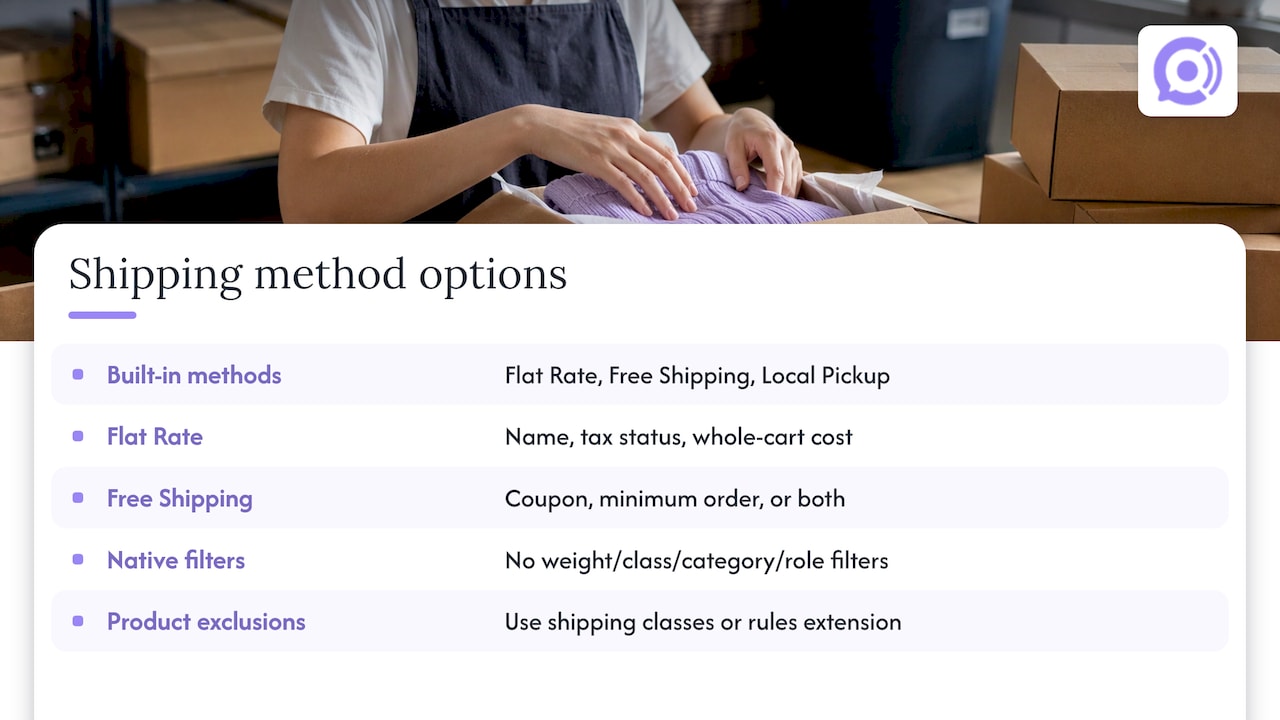
WooCommerce includes three built-in methods: Flat Rate, Free Shipping and Local Pickup, which you add to a zone from the Add Shipping Method button, as PluginHive describes. For Flat Rate, you enter a name that customers see in cart and checkout, a tax status and a cost for the whole cart, per the Flat Rate documentation. Pick method names that mirror your policy wording, such as “Standard (3-7 business days).”
The built-in Free Shipping method works from a coupon, a minimum order amount, or a combination of the two, and cannot natively filter by weight, class, category or user role, according to Thedotstore. If your policy has product-specific exclusions, such as no free shipping on oversized items, you need shipping classes or a rules extension, and the policy should name the exclusion.
3. Rates by weight, class or table
Bulky items usually need their own pricing. WooCommerce’s table rates documentation shows how a handling fee and per-item rates combine: three units of a $4 item plus two units of a $3 item produce an $18 shipping cost. Run a few test carts like this and confirm each total matches what the policy says.
4. Test as a customer
Place test orders to an address in every zone. Check the method names, the free-shipping threshold, the tax on shipping and the confirmation email. Fix the settings or the page, whichever is wrong, so the two always agree.
Explain costs, delays and restrictions in plain language
Shoppers want to know what they are getting into before they add an item to the cart. WooCommerce’s shipping strategy guide says transparent shipping policies build trust and reduce cart abandonment. A few habits make the page work like a good conversation instead of a legal wall.
- Lead with the answer. Put a short summary at the top: processing time, delivery range, free-shipping threshold, where you ship.
- Use the customer’s question as the label. “When will my order arrive?” and “Do you ship to Hawaii?” read better than “Section 4.2.”
- Give ranges, not promises. “3-7 business days after processing” is honest and matches carrier reality.
- Name the delay triggers. Weather, carrier strikes and carrier errors belong in the policy. Sprintlaw cautions that disclaimers must not look unfair or deceptive under FTC rules.
- Say what happens next. For a lost parcel: contact us with your order number, we open a carrier claim, and we reship or refund.
Keep the same answer in every channel
The most useful form of conversation design for shipping is consistency. The answer on the policy page, in the order email, in chat and on the phone should be the same sentence. WooCommerce’s shipping setup guide states that customers should never have to ask where an order is or when it will arrive, and suggests tracking details on the customer account page and in shipping notification emails.
A practical way to do that is to write a short “answer sheet” from your policy: ten or so questions with one approved answer each. Use it to train staff, fill your help center and, if you automate phone support, to build the knowledge base. Our guides on shipping policy automation and phone shipping updates cover what to check before automated calls go live, and order tracking automation covers how to stop repetitive “where is my order” contacts.
What to tell customers who want to change shipping after ordering
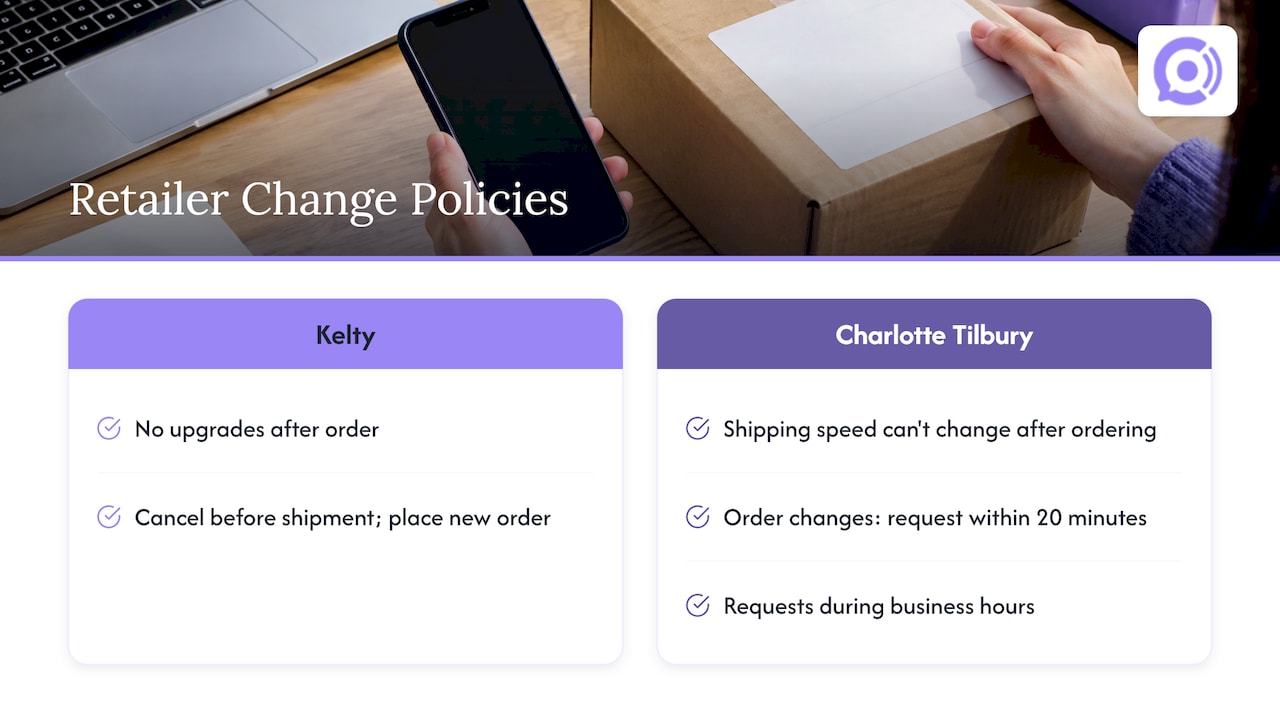
Decide this rule in advance and put it in the policy. Two examples of how established retailers word it: Kelty says it cannot upgrade shipping after an order is placed, so the order must be canceled before it ships and a new one placed. Charlotte Tilbury’s US help page says shipping speed cannot be changed after ordering, and that order changes can be requested within 20 minutes of placing the order during business hours.
Your own version needs three facts: whether changes are possible, the time window, and how to ask. If you can edit orders before they enter fulfillment, say “before processing starts” and give the typical processing time so customers know how quickly to act.
Publish the page and keep it current
WooCommerce does not give you a shipping-policy slot. It does add a draft Refund and Returns Policy page on installation, and its documentation recommends linking to the policy from the site menu or footer widget. Do the same for shipping:
- Create a page called Shipping Policy with clear headings, using a clean
/shipping-policyURL. - Add it to the main menu and the footer, and link it near checkout. This is the approach AutoDS recommends.
- Add a one-line delivery promise and a link on product pages. WooCommerce’s guide suggests showing costs, delivery times and extra fees on the homepage or product pages.
- Link returns-related shipping details to your returns page so customers see one story.
- Review the page whenever you change carriers, suppliers, rates, thresholds or timelines, and at least before each peak season.
A simple habit: whenever someone edits a shipping method in WooCommerce settings, the same person checks the policy page that day.
Our perspective: the policy is the script for every shipping call
Most shipping contacts are not hard questions. They are the same few questions asked again: where is my order, when will it arrive, can I send it back. A clear policy answers them once. A store still needs to deliver that answer at the moment a customer picks up the phone.
That is why we built Orphora AI specifically for WooCommerce stores. Our voice agents are designed to read real-time order and customer data, so a caller hears the status of their own order instead of a generic paragraph. They draw on your knowledge base, which is where your shipping policy belongs, and they handle common requests such as order status, returns and shipping questions around the clock.
We design conversations so the agent says what your policy says. Guardrail workflows for order actions keep the agent inside the rules you set, and call recordings, transcripts and analytics let you see which shipping questions come up most, so you can improve the policy page itself.
Write the policy carefully, configure WooCommerce to match, and let the same answer reach customers on every channel.
Orphora AI
Put your policy to work on the phone
Once your policy is written, our AI Voice Agent can answer shipping calls with it, using live WooCommerce order data and your own knowledge base. Pricing is published: $9.99 per month per agent, plus $0.10 per conversation minute. An Enterprise plan is also available for larger needs.

Before you launch, read our WooCommerce voice bot launch checklist and compare channels in SMS vs voice support. When you are ready, start with Orphora AI.
FAQ
How do I add shipping charges in WooCommerce?
Go to WooCommerce > Settings > Shipping, open or create a shipping zone and add a method such as Flat Rate. Enter the name customers will see, the tax status and the cost. Then place a test order to confirm the charge appears correctly at checkout.
Does WooCommerce create a shipping policy page automatically?
No. WooCommerce adds a draft Refund and Returns Policy page on installation, but shipping needs its own page. Create one, give it a clear URL, and link it from your menu, footer and checkout so customers can find it before buying.
Can a customer change the shipping method after ordering?
That is your decision, and your policy should state it. Some retailers do not allow shipping upgrades after an order is placed and ask customers to cancel before shipment and reorder. Whatever you choose, give the time window and the way to ask.
What should a US shipping policy say about Alaska, Hawaii and territories?
Name them. State whether you ship to Alaska, Hawaii, Puerto Rico, Guam and military addresses, and what the rates and delivery times are for each. Naming each place prevents checkout surprises and support contacts.
Sources
- Setting up Shipping Zones, WooCommerce documentation
- Flat Rate Shipping, WooCommerce documentation
- Conditional Shipping and Table Rates, WooCommerce documentation
- Refund and Return Policy Page guidelines, WooCommerce documentation
- How to set up your WooCommerce shipping strategy
- The ecommerce shipping setup that grows with your store
- How to Write a Shipping Policy for Your WooCommerce Store
- Create a shipping policy, Big Cartel Help
- How to (Clearly) Explain Shipping and Return Policies
- Shipping Policy Clauses US Startups Must Review Carefully
- How to Write a Shipping Policy That Sells
- FTC Mail Order Rule overview
- WooCommerce Shipping Setup: Zones, Rates and Classes
- WooCommerce Shipping Setup guide, PluginHive
- The complete guide to WooCommerce shipping methods
- Free Shipping Policy Template, AutoDS
- Can I make a change to my order? Kelty
- I need to cancel or change my order, Charlotte Tilbury
- Swag Fulfillment Guide