

Customer Service Automation for Ecommerce: A WooCommerce Guide
What ecommerce customer service automation covers, which tasks to automate first, how to measure results, and what it costs a small WooCommerce store.


Customer service automation for ecommerce means letting software handle the repetitive questions your store gets every day, such as “where is my order?”, “how do I return this?” and “when will it ship?”, while people handle the cases that need judgment. For a small WooCommerce store, the best place to start is the contact type that eats the most time and has the most predictable answer: order status. This guide shows what to automate, how the process works, how to protect customer data, and how to tell whether it is paying off.
TL;DR
- Automate the high-volume, rule-based requests first: order tracking, return eligibility, shipping policy questions.
- A good setup identifies intent, answers from live store data, and escalates to a person when it is unsure.
- Measure it against your own baseline: cost per contact, first response time, resolution without a human, and customer satisfaction.
- Phone is often the neglected channel. A voice agent connected to WooCommerce can cover it around the clock.
- Test before you go live, and keep a clear handoff path for refunds, complaints and anything unusual.
Table of Contents
- What customer service automation in ecommerce actually is
- Which support tasks to automate first
- Choosing the channel: chat, email, SMS or voice
- How to implement it on WooCommerce, step by step
- Keeping automated support accurate and safe
- Measuring whether it works
- What to expect when you start
- Our perspective
- Put a voice agent on your WooCommerce phone line
- FAQ
- Sources
What customer service automation in ecommerce actually is
It is the use of software, including AI chatbots, ticket routing rules, self-service pages and voice agents, to resolve routine support requests without a person touching each one. It does not mean removing people from support. It means your team stops retyping the same tracking update forty times a week.
Most automated support follows the same four-step pattern, as one ecommerce support vendor’s overview describes it:
- The customer makes contact by chat, email, social or phone.
- The system works out the intent (an order status question versus a return request) and how confident it is.
- It resolves the request, or escalates when confidence is low or the case needs judgment.
- The interaction is logged so the setup can be reviewed and improved.
The quality of step 3 depends almost entirely on what the system can see. An assistant that only knows your FAQ can recite your return policy. An assistant connected to your order data can tell a specific customer that order 4821 shipped Tuesday and what the carrier status is. The second one actually removes a contact from your queue.
Which support tasks to automate first
Not every request deserves automation. Rank your contact reasons by volume and by how predictable the answer is. Anything high on both is a candidate.
| Task | Automate? | Why |
|---|---|---|
| Order status and tracking | Yes, first | Answer lives in your order system; same question every time |
| Shipping times and costs | Yes | Fixed policy, easy to keep accurate |
| Return eligibility and instructions | Yes | Rules-based: window, condition, item type |
| Starting a return | Yes, with guardrails | Needs a defined workflow and confirmation steps |
| Order changes (address, cancellation) | Carefully | Only before fulfillment; define the cutoff precisely |
| Product questions | Partly | Works when answers come from a maintained knowledge base |
| Refund disputes, damaged goods, angry customers | No, escalate | Judgment and empathy matter more than speed |
Start with “where is my order?”
Order status requests, often called WISMO, are usually the largest block of repetitive contacts for a store that ships physical goods. They are also the cleanest to automate, because the correct answer already exists in your data. We go deeper on this in our guide to order tracking automation.
Then returns and shipping policy
Returns are the next most predictable category. The risk is in the details: a bot that promises a refund your policy does not allow creates more work than it saves. Before any automated channel goes live, check that your policy pages, shipping settings and order statuses agree with each other. Our checklist of shipping policy automation checks covers the three that matter most in WooCommerce.
Choosing the channel: chat, email, SMS or voice
Most automation guides assume website chat. That leaves out a group of customers who simply pick up the phone: people ordering gifts for relatives, older shoppers, anyone away from a desktop, and anyone with an urgent delivery question. If your store lists a phone number, those calls land on you or on voicemail.
Here is how the channels compare for a small store:
| Channel | Strength | Weakness |
|---|---|---|
| Website chat | Cheap, instant, easy to embed | Only reaches people already on your site |
| Asynchronous, good for detail | Slow loops for simple questions | |
| SMS | Short, proactive updates | Poor for back-and-forth |
| Voice | Natural for urgent or complex-sounding questions | Needs a real-time system that sounds natural |
The channels work best together, with the same order context behind each of them. If you are weighing two of them, see our comparison of SMS versus voice support, and for the case for a shared view of the customer, omnichannel support with order context.
How to implement it on WooCommerce, step by step
- Pull a month of contacts and sort them. Count by reason. Pick the top two or three that have rule-based answers.
- Write down the rules. Return window, which statuses mean “shipped”, what you do for lost packages, and when a person must step in.
- Connect live order data. Automation that reads your WooCommerce orders and customer records can give specific answers instead of generic ones.
- Load your knowledge base. Shipping, returns, sizing and warranty answers should come from one maintained source.
- Configure the agent’s behavior. Tone, greeting, what it may do and what it may never do. Our note on what to configure first lists the order we recommend.
- Test with real scenarios. Run the odd cases: wrong order number, a split shipment, an angry caller. Use a pre-launch testing playbook for voice.
- Launch narrow, then widen. Start with order status, review transcripts weekly, then add returns.
Keeping automated support accurate and safe
Automation is only worth having if customers can trust it. Three habits matter most.
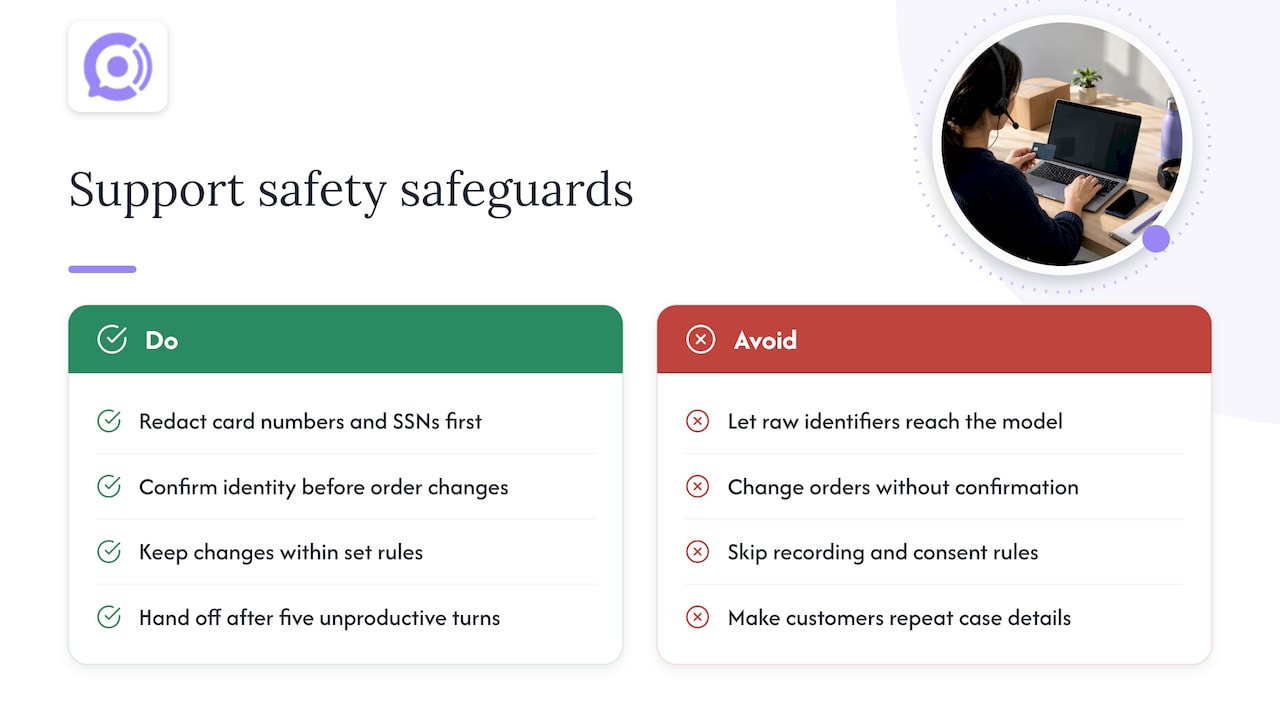
Protect sensitive data. Customers will read out card numbers, phone numbers or email addresses without being asked. One production support design write-up recommends redacting items like card numbers and SSNs before the text reaches the language model, and restoring identifiers only when a tool genuinely needs them. Whatever platform you use, ask how it treats this data and whether recordings and transcripts are stored.
Limit what the system can do. Reading an order is low risk. Cancelling or refunding one is not. Put guardrails around every action that changes an order: confirm identity, confirm the action, and stay inside rules you set.
Hand off cleanly. The same source suggests forcing a handoff to a person after five unproductive turns. When a human takes over, they should see who the customer is, what was said, what was already done and why the case was escalated, so nobody has to repeat themselves. Our post on AI to human escalation rules goes through them.
If you record calls, check the call recording and consent rules for the states where your customers live, and disclose recording at the start of the call. Your attorney is the right person to confirm what applies to your business.
Measuring whether it works
Decide on your numbers before launch, because afterwards everyone remembers the baseline differently. Track these:
- Resolution without a human: the share of contacts closed by automation with no handoff and no repeat contact within a few days.
- First response time: how long a customer waits for the first useful answer.
- Cost per contact: one cost-modeling approach multiplies average handling time by your loaded hourly support cost to get a manual cost per ticket, then compares it with the blended cost after automation.
- Customer satisfaction: a one-question rating after the interaction, split by automated and human-handled contacts.
- Repeat contacts: a customer calling twice about one order is a sign the first answer failed.
- Escalation reasons: the topics that keep reaching humans tell you what to automate or fix next.
A worked example with our own pricing shows how to frame the cost side. Suppose your store takes 500 calls a month averaging four minutes. That is 2,000 minutes. At $0.10 per conversation minute, usage comes to $200, plus $9.99 per month for one agent: $209.99 in total. Compare that figure with what the same calls cost you in staff time, missed calls and after-hours coverage. Our AI voice ROI guide walks through seven inputs for doing this properly.
What to expect when you start
Expect the first two weeks to be about tuning, not savings. Transcripts will show questions you did not plan for. Your policy pages will turn out to have gaps. That is useful: you are fixing things that were confusing customers anyway.
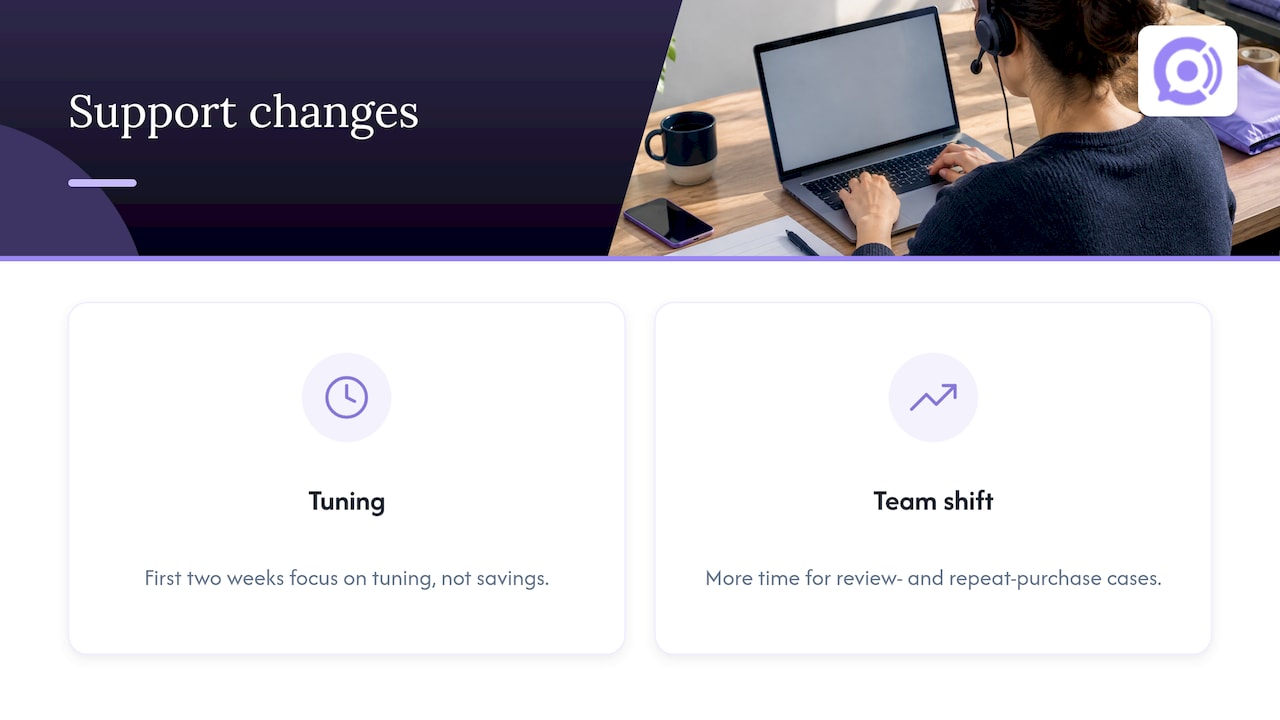
Expect your team’s work to change rather than vanish. Fewer routine contacts means more time for the cases that influence reviews and repeat purchases. For the longer view on growing without adding headcount, see how to scale support without scaling headcount, and for a wider overview, our guide to AI customer service for e-commerce.
Our perspective
Most small stores automate chat and forget the phone. Yet a phone call is often the most urgent contact a store gets: a gift that has not arrived, a package that shows delivered but is not at the door.
We built Orphora AI for that gap. Our voice agents connect to WooCommerce, read order and customer data in real time, and answer the common questions, order status, returns and shipping, in a natural voice conversation without speech-to-text lag. They are available around the clock, so you do not need to staff a phone line to offer one.
We think automation should be controlled, not improvised. That is why our agents use guardrail workflows for order actions, can be customized to your tone and policies, and keep call recordings, transcripts and analytics so you can see exactly what customers asked and how each call went.
And we think pricing should be easy to predict: a flat monthly fee per agent plus a per-minute rate for the calls it takes. You pay for usage, not for seats you do not need.
Orphora AI
Put a voice agent on your WooCommerce phone line
If phone calls are part of your support load, Orphora AI gives you an AI voice agent for $9.99 per month per agent, with conversation minutes at $0.10 per minute. It connects to your WooCommerce store, handles order status, returns and shipping questions, and includes call analytics, recordings and transcripts. Larger operations can ask about our Enterprise plan, which has no published price.

See the plans and set up your first agent at Orphora AI.
FAQ
What is the first thing a small ecommerce store should automate?
Order status. It is usually the most repeated question, and the answer already sits in your order data. Automate it, review the transcripts for a couple of weeks, and then add returns and shipping questions.
Will automation make support feel impersonal?
Not if the agent answers quickly with specific information and passes complicated cases to a person with full context. Customers mostly dislike waiting and repeating themselves. Fast, accurate answers on routine questions leave your team time for the conversations that need a human.
Does customer service automation work with WooCommerce?
Yes, provided the tool reads your WooCommerce order and customer data. Orphora AI connects to WooCommerce so its voice agent can look up orders in real time and answer with details from your store rather than generic policy text.
How do I know if it is saving money?
Calculate your cost per contact before launch, using handling time and loaded hourly cost. After launch, compare it with your automated cost, which for voice includes the monthly agent fee and per-minute usage. Track escalations and repeat contacts alongside it.
Should automated agents handle refunds?
Start by letting them explain eligibility and begin standard returns within clear rules. Refund exceptions, damaged goods and upset customers are best routed to a person, with the conversation summary attached.
Sources
- Customer Service Automation for Ecommerce in 2026
- Anatomy of a production support agent
- How to Automate Customer Support with AI