
Chat vs Phone Support: Route by Issue, Not Staffing Cost
Compare chat and phone support by issue complexity, customer preference, handoff needs, KPIs, and cost, with guidance on where AI voice agents fit.


Use chat for quick, repeatable tasks and phone for urgent, complex, or emotional issues. 65% of Americans prefer phone for retail and travel support, yet chat wins on convenience for simple questions. Route by issue complexity and customer preference, not by what is cheapest to staff. At Orphora AI, we build AI voice agents so phone can scale without losing that routing logic.
TL;DR:
- HubSpot found 57% of respondents prefer calling and 26% prefer live chat; 66% expect chat replies within five minutes, but speed cannot replace useful answers.
- Start mixed complexity queues at two simultaneous chats per agent, then increase concurrency only while resolution rates and customer satisfaction remain steady.
- For channel changes, transfer the transcript, session and order IDs, and customer history; offer a callback choice so callers do not repeat details.
- Compare cost per resolved issue by channel and issue type, since cheaper chats can become costly when unresolved customers contact phone afterward.
- Automate routine calls first, keep humans available for sensitive or complex issues, and expand only when resolution and satisfaction meet your targets.
Table of Contents
- How do chat and phone support compare side by side?
- When does chat support win?
- When does phone support win?
- What do the studies say about customer channel preferences?
- What is the checklist for handoffs between chat and phone?
- Which KPIs and SLAs should you track for chat vs phone?
- How do the costs of chat and phone support compare?
- What changes when you combine AI voice agents with chat in e-commerce?
- Do customers rate AI voice agents differently on phone and chat?
- How should you use AI automation differently on phone and chat?
- Our recommended approach for support leaders
- Where AI voice agents fit in an omnichannel program
- FAQ
- Sources
How do chat and phone support compare side by side?
Before diving into each channel, it helps to see the trade-offs in one place. The table below uses qualitative descriptors drawn from the research we cite later in this guide.
| Dimension | Chat | Phone |
|---|---|---|
| Best for | Quick, low-difficulty, repeatable tasks | Urgent, complex, or emotional issues |
| Speed | Reply expected within minutes, customer can multitask | Immediate connection or a callback |
| Complexity handled | Works best when topics are simple | Handles layered troubleshooting and nuance |
| Experience features | Written transcript, links, concurrent tasks | Tone of voice, real-time empathy, recording |
| Resourcing | One agent can juggle several sessions | Dedicated attention per call, with more skilled staffing |
The decisive trade-offs come down to three points:
- Chat is efficient but shallow by default. A chat log analysis of 75,918 sessions found satisfaction was higher on low-difficulty topics and that chat dialogs were generally shallow.
- Phone is slower per contact but stronger on nuance. A live voice lets an agent hear frustration and adjust, which matters when the issue is tangled or sensitive.
- Customer expectations differ by channel. In HubSpot’s survey, 66% of respondents expected a live chat response within five minutes, while phone callers expect to be connected or called back quickly.
The practical takeaway: neither channel is universally better. The right choice depends on what the customer is trying to do and how much is at stake for them.
When does chat support win?
Chat earns its place when the question is narrow, the answer is factual, and the customer would rather keep working than stay on a call. Think of someone checking a delivery while at their desk, or comparing two product options mid-checkout.
Core use cases for chat
The strongest chat scenarios share a common trait: the answer already exists somewhere in your systems.
- Order status checks and tracking questions, which also cut phone volume. Our guide to order tracking automation shows how to reduce WISMO contacts.
- Simple FAQs on shipping, returns windows, and sizing.
- Link pushes, where an agent drops a return label, a help article, or a product page straight into the conversation.
- Proactive prompts on pricing, cart, or help pages that catch hesitation before it becomes an abandoned session.
Why agents get more done in chat
Concurrency is the headline advantage. A single agent can handle several chat sessions at once, pausing one while a customer looks up an order number and moving to the next. Phone cannot do that. Chat also produces a written transcript automatically, which makes quality review, training, and later handoffs far easier than reconstructing a call from memory.
Staffing guidance varies by team, so treat concurrency as a number you tune rather than a fixed rule. Start low, say two simultaneous chats per agent for mixed-complexity queues, then raise it only while resolution rates and satisfaction hold steady. Agents need a searchable knowledge base and a live view of the customer record in your CRM or store platform. Without those integrations, concurrency just means several customers waiting on one person who is hunting for answers.
The shallow automation trap
The risk with chat is not speed. It is thin conversations. The same chat log study found chatbots were associated with lower satisfaction when they failed to provide adequate elaboration. Related research on chat dialog patterns points the same way: faster responses do not always lift satisfaction, while elaboration and interaction quality do.
Another study of live chat service encounters found information quality, service quality, and system quality strongly shape satisfaction, and that canned responses and missing context pull it down. In plain terms, a quick reply that does not actually answer the question is worse than a slightly slower one that does.
Mitigations that work:
- Design dialogs that ask a clarifying question before answering, instead of firing a generic reply.
- Pass context into the chat window, such as the page the customer is on and their open order.
- Give customers an obvious way to reach a live agent, and make the handoff carry the transcript.
- Retire canned replies that sound scripted, and rewrite them to answer the specific question asked.
Pro Tip: Review a sample of your shortest chat sessions each week. Fast, low-scoring conversations are the clearest sign that your dialog design, not your staffing, needs work.
If you want chat conversion to improve alongside satisfaction, this data audit for growth teams walks through diagnosing where live chat loses visitors.
Finally, keep the underlying knowledge tidy. Chat agents and bots both perform better when answers are findable, and our advice on keeping a knowledge base lean applies to chat just as much as to voice.
When does phone support win?
Phone wins when the customer needs to be heard, not just answered. A person describing a damaged shipment, a billing dispute, or a problem that has already cost them time often wants a human voice that responds in real time.
Core use cases for phone
Phone is the right default for situations where stakes, complexity, or emotion run high:
- Urgent escalations, where waiting for a typed reply feels unacceptable.
- Complex troubleshooting, where the agent must ask follow-ups, listen for clues, and adapt on the spot.
- Sensitive conversations, such as complaints, disputes, or anything involving money or personal circumstances.
- Identity verification for account or payment changes, where a live exchange is more natural than a string of typed answers.
The consumer data backs this up. The 2025 consumer study reported that 57% of Americans prefer phone for initial contact and described phone as the go-to for urgent, complex, or emotional issues. J.D. Power’s cross-industry study adds that phone is often the most used first contact channel and that unresolved issues leading to a second contact frequently land on phone too, so getting phone right matters even for teams that push customers toward digital.
Empathy and nuance, and why handle time misleads
Phone calls usually run longer than chat sessions, and teams that obsess over average handle time sometimes conclude phone is wasteful. That reading is too narrow. A skilled agent who hears the customer’s tone, confirms the real problem, and solves it in one call can prevent several follow-up contacts across other channels. Repeat contacts are expensive, so a longer first call that actually resolves the issue often costs less overall than a short one that does not.
Empathy is the other piece. Customers describing a stressful situation respond to acknowledgment in a human voice. That is hard to replicate in a short typed exchange, and it shows up in how people rate the interaction afterward.
What phone support requires operationally
Phone asks more of your setup than chat does. Plan for each of the following:
- Call routing. Callers should reach the right queue quickly, using simple menus or intent detection rather than a maze of options.
- Recording and notes. Recording, where permitted and disclosed, supports training and dispute resolution. Pair it with structured notes so the next agent sees what happened.
- Telephony provisioning. You need reliable numbers, capacity for peak volume, and a clear after-hours plan.
- Skilled staff. Phone agents need strong listening, de-escalation, and product knowledge, because there is no pause to look things up unnoticed.
- Scripts and training. Short, flexible call guides help agents stay consistent without sounding robotic, and regular coaching keeps quality up.
Small teams often hit a wall here. Staffing phones around the clock is costly, and missed calls frustrate exactly the customers who chose phone because they needed help urgently. This is where automation can complement your human team, which we cover later in this guide. For a practical view of what automated phone handling can do for a small business, this overview of AI phone agents is a useful outside perspective.
What do the studies say about customer channel preferences?
Preference data cuts against the idea that everyone wants to chat. It also warns against treating response speed as a stand-in for quality.
The 2025 consumer study found that 65% of Americans prefer phone for retail and travel support, and 57% prefer phone for initial contact. Phone is still where many customers turn first.
The key findings, taken together:
- Phone leads for initial contact, but preferences vary. HubSpot’s survey found 57% of respondents prefer calling, 26% prefer live chat, and 59% want live chat to connect them with human representatives.
- Chat expectations are tight. The same HubSpot data shows 66% expect a live chat reply within five minutes, so slow chat can feel worse than no chat.
- Age changes the picture. The 2025 consumer study reported that 86% of Gen Z and young millennials prefer voice support, so you cannot assume younger customers favor text.
- Customers use what is available. Many will use whichever channel you offer even when it is not their first choice, which means usage numbers alone can overstate how much they like a channel.
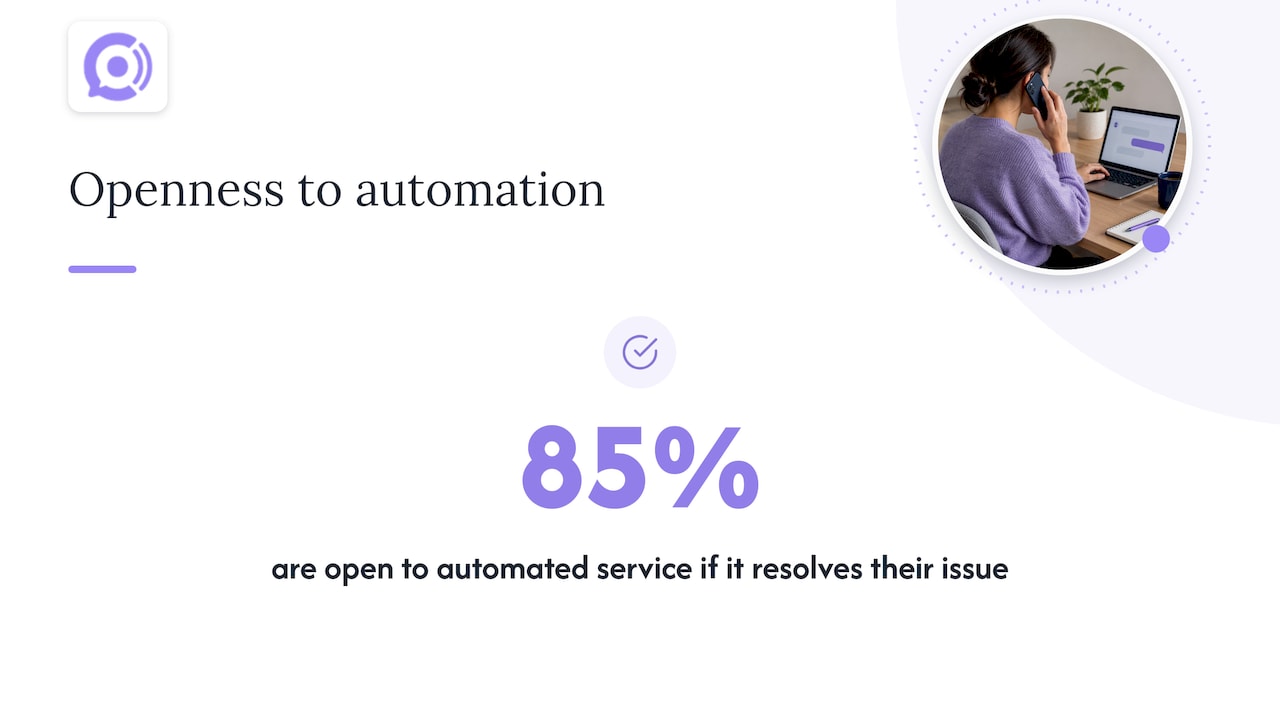
- Customers accept automation when it works. Verint’s State of Customer Experience research finds 85% are open to automated service if it resolves their issue, while nearly half still value easy access to a human agent.
- Quality beats speed in chat. The chat log analysis found chatbots were linked to lower satisfaction when they failed to elaborate, and experimental research on online chat shows dialogical interaction significantly boosts satisfaction, especially for utilitarian tasks.
What should you do with this? Resist the urge to herd customers into one channel just because it is cheaper. Instead, invest in dialog quality and in seamless handoffs, so a customer who starts in one channel and needs another does not have to start over. Preference data tells you where people begin. Resolution quality decides whether they leave satisfied.
What is the checklist for handoffs between chat and phone?
Most frustration in multichannel support comes from one moment: the customer switches channels and has to explain everything again. Verint’s research recommends a unified approach that shares customer history across chat and phone, and the steps below put that into practice. For rules on escalating from automation to a person, see our guide on stopping repeat explanations.
- Capture and pass context before the handoff. Attach the session ID, the full transcript, and the order ID to the ticket so nothing is lost in transit.
- Offer a warm transfer or a scheduled callback. Ask which the customer prefers, and confirm the best number and time before ending the chat.
- Surface CRM and order data to the receiving agent. The next agent should see the customer’s history, the open order, and the transcript on one screen, before saying hello.
- Follow up with a short confirmation. Send a message or email summarizing what was resolved and any next steps, so the customer has a record.
Pro Tip: Have the receiving agent open with a one-sentence recap of the issue. Hearing their own problem restated correctly tells the customer the handoff worked.
Test this flow yourself by moving through it as a customer. Start a chat, ask to be called, and note every point where you are asked to repeat something. Each repeat is a gap in your context passing, and each one is fixable.
Which KPIs and SLAs should you track for chat vs phone?
Measuring both channels with the same yardstick hides what each does well. Track a shared set of indicators, then read them differently by channel.
- First response time. For chat, customers expect a reply quickly, and HubSpot found 66% expect one within five minutes. For phone, the equivalent is how fast the caller reaches a person or receives a callback.
- Average handle time (AHT). Expect phone to run longer than chat. Use AHT to plan staffing, not to judge agent quality in isolation.
- Resolution rate. Track whether the issue was solved in the first contact. This matters most because repeat contacts are costly.
- Escalation rate. A high rate on chat suggests your automation or first-line answers fall short. A very low rate may mean agents are hanging onto issues they should transfer.
- CSAT and its drivers. Break satisfaction down by topic and channel, not just overall.
Set your own targets by channel and by issue type, and revisit them each quarter. When metrics disagree, diagnose before reacting. Fast chat paired with low CSAT usually points to shallow dialogs or a clumsy escalation path, consistent with the chat log findings. Long phone calls paired with high CSAT and high resolution may simply mean your agents are handling the hard issues well.
How do the costs of chat and phone support compare?
Cost differences come mostly from how much work one agent can do at a time, and from what repeat contacts add on top.
Chat tends to be cheaper per contact because one agent can run several sessions concurrently, and the transcript is created for free. Phone is usually costlier per contact: calls run longer, and you pay for telephony and staffing coverage at peak times.
Cheaper per contact does not mean cheaper per resolved issue. If a quick chat fails to solve the problem and the customer calls anyway, you have paid for two contacts, and the second is on the more expensive channel. J.D. Power’s research notes that unresolved issues leading to a second contact frequently land on phone, so first-contact resolution is the real cost lever.
A sensible way to compare is to calculate cost per resolved issue for each channel and issue type. Chat will often win on simple, repeatable questions. Phone may win on complex ones because it resolves them in a single contact. If you are weighing automation to lower phone costs, our AI voice ROI framework lays out the inputs to estimate payback for a WooCommerce store.
What changes when you combine AI voice agents with chat in e-commerce?
Running an AI voice agent alongside a traditional chat system lets each handle what it does best, but the pieces have to share information.
The benefits are practical:
- Shared knowledge. One set of order data, policies, and answers can feed both channels, so a customer gets the same answer whether they type or talk.
- Load balancing. Routine calls, such as order status and return questions, go to the voice agent, leaving human phone agents free for harder conversations.
- Continuous coverage. Voice automation can answer outside staffed hours, while chat handles the quick written questions.
The challenges are just as real:
- Context continuity. If a caller was just in chat, the voice agent needs that history. Without a shared record, you recreate the repeat-explanation problem.
- Consistency. Two systems built separately can give conflicting answers on returns or shipping, which erodes trust fast.
- Tight integration with the store. Order lookups must pull live data from your platform. For WooCommerce stores, our guide to phone integration paths to test covers what to check before launch.
- Clear escalation. Both systems need an easy route to a human, with the transcript or call summary attached.
Solve for a single source of truth first, then add channels on top of it.
Do customers rate AI voice agents differently on phone and chat?
The honest answer is that the research does not yet give a clean, head-to-head verdict for AI voice versus AI chat, so treat any strong claim with caution. What we can say comes from adjacent evidence.
Customers care most about whether the issue gets solved. Verint’s research finds 85% are open to automated service if it resolves their issue, which suggests satisfaction follows resolution more than the type of agent. The 2025 consumer study also reported strong openness to capable conversational AI.
Where satisfaction differs is in how each channel fails. In chat, the documented failure is shallow answers: the chat log analysis tied chatbots to lower satisfaction when they did not elaborate. In phone, the likely failure is a caller who cannot reach a person when they need one, which feels worse because phone customers often have urgent or emotional issues.
Experimental work on online chat suggests human and chatbot interactions can produce similar satisfaction for utilitarian customers, but differ for those seeking a more experiential interaction. A reasonable reading is that routine, transactional requests suit automation on either channel, while emotional or complicated ones need a quick path to a person. Measure CSAT separately for automated and human-handled contacts in each channel, and let your own data settle the question.
How should you use AI automation differently on phone and chat?
Automation is not one thing. The same technology plays different roles depending on the channel, so tailor your strategy.
On phone
Phone automation shines at removing wait and coverage gaps.
- Automate the high-volume, low-complexity calls first, such as order status, return policy, and shipping questions.
- Use automation to answer instantly at any hour, then route to a human with a call summary when the request is sensitive or the caller asks for a person.
- Keep your knowledge base compact so answers come back without delay, which matters because pauses feel much longer on a call than in text.
- Record and analyze calls, where permitted, to find the questions worth automating next.
On chat
Chat automation shines at speed and structure.
- Use it to gather details up front, such as order number and issue type, so the human agent starts informed.
- Push links, labels, and tracking pages directly into the conversation.
- Watch for the shallow-dialog trap: build in clarifying questions and an easy path to a live agent.
- Use proactive prompts on high-intent pages, then hand off to a person when the question gets complicated.
Across both, set the escalation rule before you automate anything. Decide which topics always go to a person, and make the transfer carry full context. Automation that cannot hand off cleanly will cost you more satisfaction than it saves in labor.
Our recommended approach for support leaders
Our view is that the chat-versus-phone debate is the wrong frame. Customers do not want a channel, they want their problem solved without repeating themselves. The data shows phone remains the first choice for many people, while chat suits quick tasks, so forcing everyone into one channel for the sake of efficiency tends to backfire.
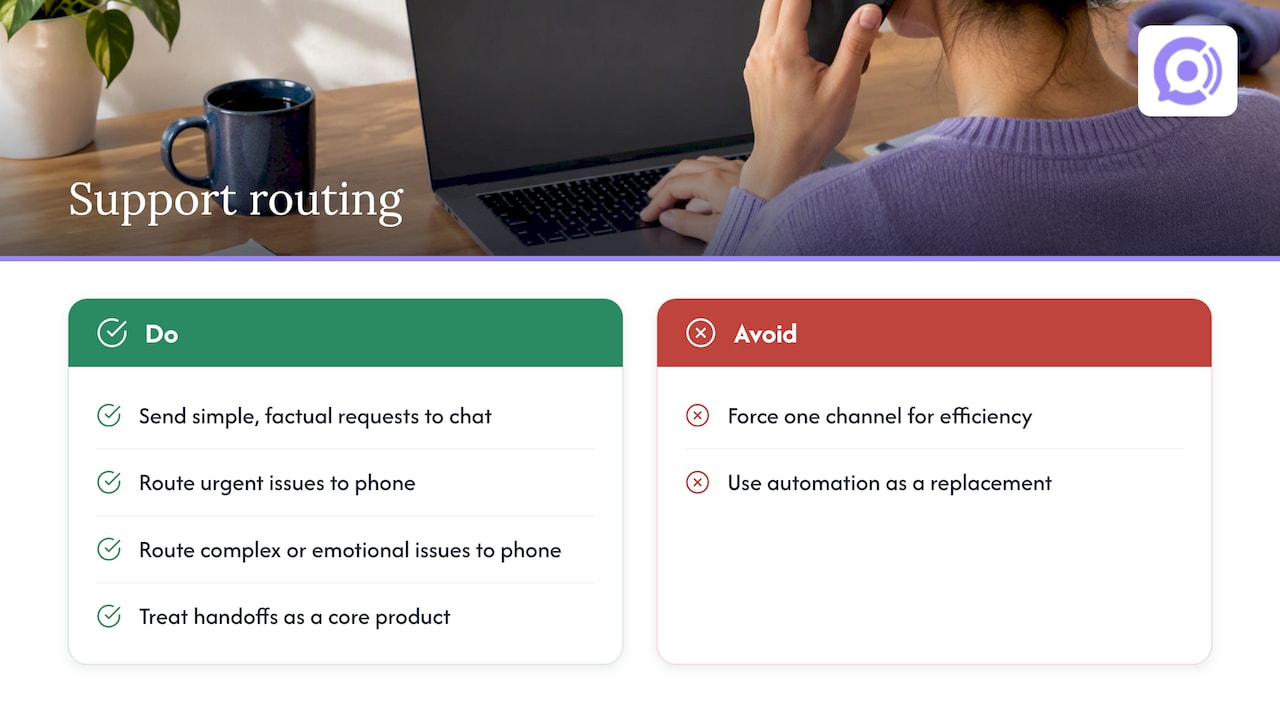
Build around routing instead. Send simple, factual requests to chat or automation, and send urgent, complex, or emotional ones to a person on the phone. Treat the handoff between them as a core product, not an afterthought.
We also think phone automation is underused as a complement, not a replacement. AI voice agents can cut hold times and cover hours you cannot staff, as long as a human is always one step away. If you are cautious, start small: automate the routine queries first, measure how well handoffs work, then expand only where resolution and satisfaction hold up. Let your own numbers, not our opinion, decide how far to go.
— Orphora AI
Where AI voice agents fit in an omnichannel program
If phone is your bottleneck, we built Orphora AI for exactly that gap. Our AI voice agents take customer calls for e-commerce stores around the clock, so routine questions get answered instantly while your team focuses on the conversations that need a person.

Here is what we offer:
- WooCommerce integration with real-time order and customer data.
- Order lookup, returns, and shipping help handled without human involvement.
- Availability beyond staffed hours, with call recording, transcripts, and analytics.
- Customizable agents and a knowledge base you control.
Used alongside chat, our agents resolve routine calls and pass harder ones to your team with context attached, which makes warm transfers faster. Pricing is transparent: an AI Voice Agent runs $9.99 per month per agent, plus $0.10 one-off per minute. Ready to see it work with your store? Book a demo or explore the features and hear it handle a real order question.
FAQ
Is chat or phone better for customer support?
Neither wins everywhere. Chat is better for quick, simple, repeatable questions, while phone is better for urgent, complex, or emotional issues. Choose by issue type and customer preference rather than by cost alone.
Do customers prefer phone or live chat?
More customers prefer phone for initial contact. HubSpot’s survey found 57% prefer calling and 26% prefer live chat. Preferences shift by age and by issue, so offering both is the safer choice.
How fast should live chat respond?
Customers expect speed. HubSpot found 66% of respondents expect a live chat response within five minutes. Fast replies only help when they actually answer the question, so pair speed with good dialog design.
Can AI replace human phone agents?
AI works well for routine calls but should not replace people for sensitive issues. Verint’s research shows most customers accept automation that resolves their issue, yet many still want easy access to a human. Keep a clear escalation path.
What is the chat process in a call center?
A customer starts a chat, an agent or bot gathers details and answers, and the issue is either resolved or escalated. Strong processes keep the transcript and customer data with the conversation so a handoff to phone does not force the customer to repeat themselves.
Sources
- Hear Me Out: Consumer Study Reveals Phone Still Reigns in Customer Service
- Investigating the relationships between dialog patterns and user satisfaction in customer service chat systems based on chat log analysis | Journal of Information Science